

Your graphics add a nice touch to my presentations and I recently used them for one of my all-hands meetings. Your toolbox adds professionalism to my slides. Instead of using standard clipart.
Claude Jones, Director of Engineer, @Walmartlabs, USA

Your graphics add a nice touch to my presentations and I recently used them for one of my all-hands meetings. Your toolbox adds professionalism to my slides. Instead of using standard clipart.
Claude Jones, Director of Engineer, @Walmartlabs, USA
I needed a fresh look at some of my slides. I've tried to find a way to create a paintbrush effect, to underline, accentuate, add some color and the handwritten markers were just the things. Very easy to use, easy to size, change the color. It was an affordable, perfect solution and I'm happy to recommend it.
Anonymous, US
The crisp, clean look of the graphics, and the fact that it allowed me to easily edit and change the colors to match the template was my main reason for purchasing them.
Brandie Jenkins, E-learning Developer, USA
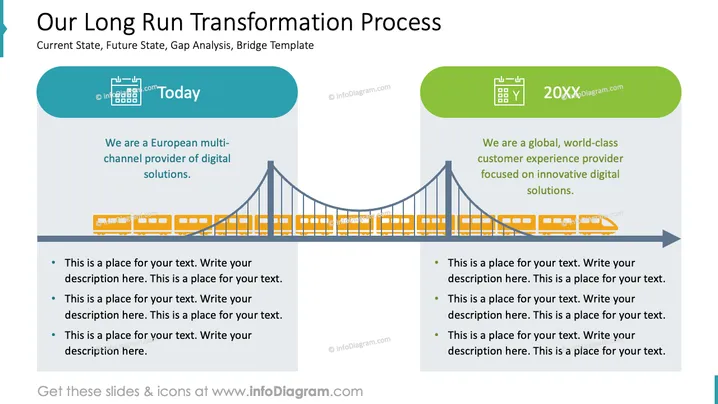
The PowerPoint slide illustrates a concept titled "Our Long Run Transformation Process," focusing on a company's journey from its "Current State" to a "Future State." It mentions "Gap Analysis" and a "Bridge Template" as parts of the process. Two sections divide the slide—'Today' mentions the company being a European multi-channel digital solutions provider, and '20XX' talks about an aspiration to become a world-class customer experience provider aimed at innovative digital solutions. Bullet points beneath each section indicate placeholders for additional details to explain current operations and future goals.
The slide presents a clean, professional visual with a central metaphor of a bridge depicting the transformation from the present to a future state. The use of color to differentiate between "Today" and "20XX" provides a clear visual distinction between the current situation and future aspirations.



