Reviews
Deine Folien sind meine 'geheime Zutat', wenn es darum geht, meine Ideen Kunden zu visualisieren. Ich spare so viel Zeit.
Ihre Folien führen oft zu guten Kommentaren und Ideen meines Teams, die die endgültigen Folien verbessern.
Description
Slide Content
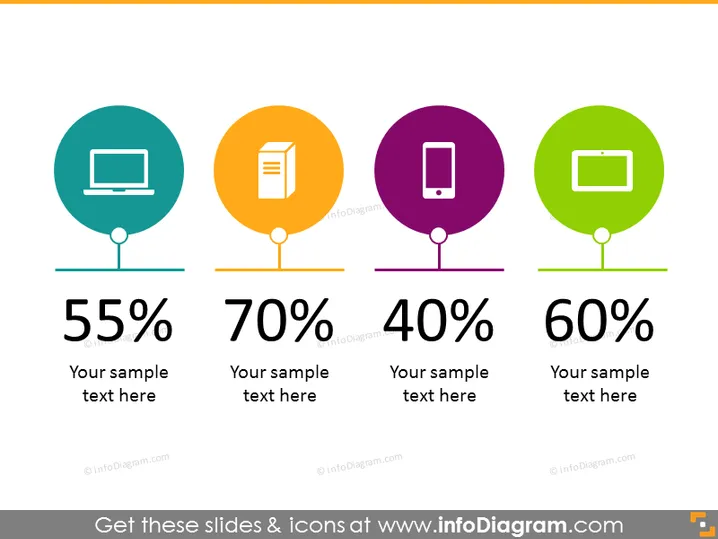
The PowerPoint slide presents a comparison of four different statistics, each associated with a graphical icon and a colored circle backdrop. The first icon is a computer screen at 55%, suggesting digital presence or technology usage. The second is a document icon at 70%, possibly representing paperwork or information processing. The third is a mobile phone icon at 40%, indicating mobile engagement or telecommunications. Finally, the fourth is a tablet icon at 60%, which might denote tablet usage or mobile computing penetration. Each percentage is accompanied by a placeholder for additional explanatory text.
Graphical Look
- Four circular icons, each within a different colored circle: teal, orange, purple, and green, from left to right.
- Under each colored circle, there is a bold percentage figure: 55%, 70%, 40%, and 60% respectively.
- Beneath each percentage, there is a placeholder text "Your sample text here."
- Each colored circle is connected to its percentage figure by a thin line, giving the appearance of a balloon tied to a string.
- The slide background is white, which makes the colorful icons stand out. The slide has a clean and modern look, with bold use of color and simple graphics to convey statistical information at a glance. The color-coded circular icons act as visual anchors, making it easy to compare the four different pieces of data.
Use Cases
- Presenting survey results in a marketing presentation to highlight customer device preferences.
- Displaying key performance indicators (KPIs) in a business report concerning technology utilization.
- Using in an educational setting to visually compare statistical data among various digital mediums.
- Showcasing usage statistics in a proposal for digital infrastructure or investment in tech resources.
How to Edit
How to edit text & colors

How to expand / shorten diagram

How to Replace Icons in infoDiagram PPT


