Reviews
Your graphics add a nice touch to my presentations and I recently used them for one of my all-hands meetings. Your toolbox adds professionalism to my slides. Instead of using standard clipart.
I needed a fresh look at some of my slides. I've tried to find a way to create a paintbrush effect, to underline, accentuate, add some color and the handwritten markers were just the things. Very easy to use, easy to size, change the color. It was an affordable, perfect solution and I'm happy to recommend it.
The crisp, clean look of the graphics, and the fact that it allowed me to easily edit and change the colors to match the template was my main reason for purchasing them.
Description
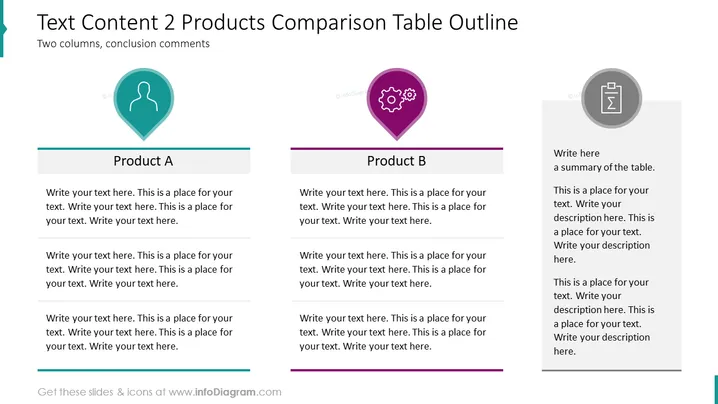
Text Content 2 Products Comparison Table Outline
Slide Content
The PowerPoint slide is a template for comparing two products, labeled "Product A" and "Product B," with space for conclusion comments. It's apparent that each product has several points or features listed, allowing for a detailed comparison across multiple criteria. There's also a side section designated for a summary to encapsulate the main findings or conclusions from the comparison.
Graphical Look
- The slide background is white.
- There are two main columns, each with a distinct color border at the top: teal for "Product A" and purple for "Product B."
- Each column contains placeholder text suggesting where to input comparative information.
- Above each column, there is an icon inside a map pin graphic: a human silhouette for "Product A" and a gear for "Product B."
- To the right side, there's a separate gray-shaded circle with an icon of a document, denoting the summary area.
- The slide utilizes a clean and modern design with flat graphics and a minimalist style.
The overall look of the slide is professional and straightforward, with a clear distinction between the two products being compared. The icons and color-coding of the columns help to visually separate the slide into distinct sections.
Use Cases
- Presenting a side-by-side feature comparison of two competitive products to a management team or potential customers.
- Analyzing the strengths and weaknesses of products during a marketing strategy meeting.
- Used in a sales pitch to highlight the advantages of one product over another to clients.
- Utilized as part of a product development meeting to compare a new product with an existing one to identify areas of improvement.
How to Edit
How to edit text & colors

How to expand / shorten diagram

How to Replace Icons in infoDiagram PPT


