Reviews
Sus gráficos añaden un toque agradable a mis presentaciones y recientemente los usé para una de mis reuniones generales. Su conjunto de herramientas añade profesionalismo a mis diapositivas. En lugar de usar imágenes prediseñadas estándar.
Necesitaba un aspecto fresco para algunas de mis diapositivas. Había intentado encontrar una forma de crear un efecto de pincel, de subrayar, acentuar, añadir algo de color y los marcadores escritos a mano fueron justo lo que necesitaba. Muy fácil de usar, fácil de ajustar el tamaño, cambiar el color. Fue una solución asequible y perfecta, y estoy feliz de recomendarla.
El aspecto nítido y limpio de los gráficos, y el hecho de que me permitiera editar y cambiar fácilmente los colores para que coincidieran con la plantilla fue mi principal razón para comprarlos.
Description
Payment Symbols 3D Icons
Slide Content
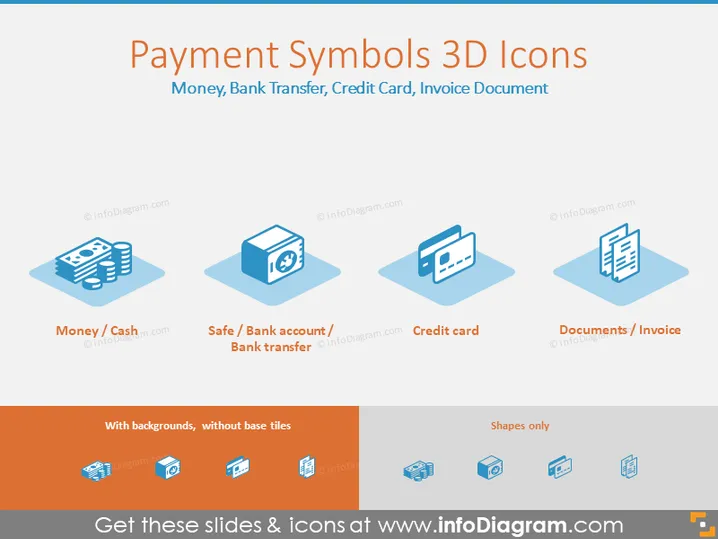
The PowerPoint slide, titled "Payment Symbols 3D Icons," presents a collection of graphic icons related to financial transactions. These icons illustrate common payment methods and tools, such as "Money / Cash," representing physical currency; "Safe / Bank account / Bank transfer," indicating secure banking operations; "Credit card," depicting a widely-used electronic payment method; and "Documents / Invoice," symbolizing the paperwork associated with financial activities. Each icon serves as a visual shorthand for its corresponding concept.
Graphical Look
- The slide background is a light grey, providing a neutral canvas for the content.
- At the top, a large dark red text serves as the slide title, with a smaller subtitle beneath it that describes the types of icons.
- Four stylized 3D icons are aligned horizontally across the slide.
- Each icon sits on a light blue shadowed square, giving the impression of floating above the background.
- Below each icon, there's a descriptor with the name of the symbol, divided by slashes to indicate multiple related concepts.
- In the lower part of the slide, there is a horizontal orange bar containing text and icons explaining the versatility of the graphic icons, mentioning "With backgrounds, without base tiles" and "Shapes only."
- The icons include a stack of bills with a currency symbol, a safe with a neon green checkmark, a credit card with a chip and magnetic strip, and a document with text lines and a downward facing arrow.
The slide has a clean, modern aesthetic, with a crisp and professional appearance, utilizing a consistent color palette which emphasizes the icons and their descriptive text.
Use Cases
- To show different payment options available when discussing financial policies or services in a company meeting.
- In a marketing presentation, these icons could be used to illustrate the payment methods accepted by a business.
- During educational or training sessions, to explain various financial concepts or transaction processes.
- In webinars or online content, to enhance visual engagement when discussing topics like e-commerce, banking, or accounting.
How to Edit
How to edit text & colors

How to expand / shorten diagram

How to Replace Icons in infoDiagram PPT


