Reviews
Your graphics add a nice touch to my presentations and I recently used them for one of my all-hands meetings. Your toolbox adds professionalism to my slides. Instead of using standard clipart.
I needed a fresh look at some of my slides. I've tried to find a way to create a paintbrush effect, to underline, accentuate, add some color and the handwritten markers were just the things. Very easy to use, easy to size, change the color. It was an affordable, perfect solution and I'm happy to recommend it.
The crisp, clean look of the graphics, and the fact that it allowed me to easily edit and change the colors to match the template was my main reason for purchasing them.
Description
Pins with Symbols
Slide Content
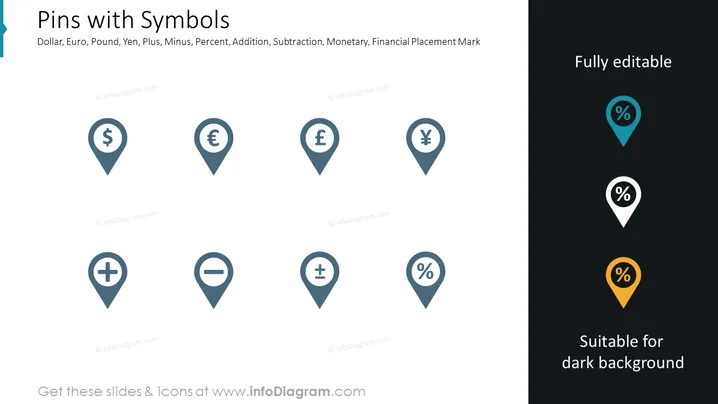
The slide displays an assortment of map pin icons, each containing a different symbol that represents various financial concepts. Symbols shown include the dollar, euro, pound, yen, plus sign, minus sign, and percent sign. These icons could be used to mark locations on a map that are linked to financial activities, like bank branches, ATMs, investment sites, or budget-related events.
Graphical Look
- A large, bold title "Pins with Symbols" is located at the top left of the slide.
- A subtitle with keywords such as "Dollar, Euro, Pound, Yen, Plus, Minus, Percent, Addition, Subtraction, Monetary, Financial Placement Mark" is beneath the title.
- There are eight map pin icons arranged in two rows of four across the slide.
- The first four pins (dollar, euro, pound, yen) are colored in two shades of blue.
- The next two pins (plus, minus) are in different shades of gray.
- The last two pins (percent) are divided between a light teal background and a dark background with the final one having an orange color.
- On the right side, text stating "Fully editable" and "Suitable for dark background" is present.
- Consistency is maintained with the pin designs, but with varying colors to draw attention to specific pins.
The overall look is clean and professional, with a focus on visual simplicity and clarity. The icons are easily recognizable and distinctly colored to stand out against both light and dark backgrounds.
Use Cases
- Financial presentations that require showcasing various currencies or economic indicators on a global scale.
- Strategic business meetings to indicate different locations for market expansion, investments, or regional financial performance.
- Interactive digital materials or reports where clickable pins might represent statistical data or branch locations.
- Educational materials for teaching economics, international business, or finance, allowing visual representation of currency distribution or financial concepts.
How to Edit
How to edit text & colors

How to expand / shorten diagram

How to Replace Icons in infoDiagram PPT


