Reviews
Your graphics add a nice touch to my presentations and I recently used them for one of my all-hands meetings. Your toolbox adds professionalism to my slides. Instead of using standard clipart.
I needed a fresh look at some of my slides. I've tried to find a way to create a paintbrush effect, to underline, accentuate, add some color and the handwritten markers were just the things. Very easy to use, easy to size, change the color. It was an affordable, perfect solution and I'm happy to recommend it.
The crisp, clean look of the graphics, and the fact that it allowed me to easily edit and change the colors to match the template was my main reason for purchasing them.
Description
Scrum Icons: Artefacts 2
Slide Content
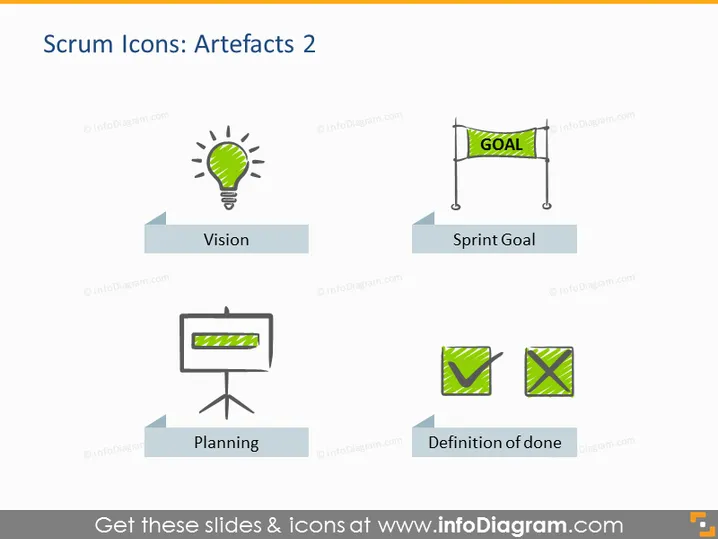
The PowerPoint slide titled "Scrum Icons: Artefacts 2" presents four key concepts associated with Scrum artifacts. "Vision" suggests a guiding idea or goal for the project, represented visually by a lightbulb, indicating the generation of ideas or inspiration. "Sprint Goal" is depicted with a finish line banner, symbolizing the target to be met by the end of the sprint. "Planning" is shown as a flip chart, representing the process of strategizing and structuring the sprint. Finally, "Definition of done" is illustrated by two checkmarked boxes, highlighting the criteria that determine when an item can be considered finished.
Graphical Look
- The slide background is white, giving a clean and minimalistic look.
- The title "Scrum Icons: Artefacts 2" is at the top in a large, bold, and dark font.
- Four stylized icons are centered on the slide, two on the top row and two on the bottom, each relating to a Scrum concept.
- Each icon has a corresponding label beneath it, framed by a light grey box with darker grey side accents.
- The icons include:
- A lightbulb representing "Vision."
- A finish line with a "GOAL" banner for "Sprint Goal."
- A flip chart for "Planning."
- Two overlapping checkmarked boxes for "Definition of done."
- The graphics utilize a color scheme of blues, greys, and a tint of yellow for the lightbulb, creating visual consistency.
The slide's overall look is professional and visually balanced. The use of simple icons with descriptive labels effectively communicates each Scrum concept at a glance.
Use Cases
- To introduce and explain the key artifacts in a Scrum training or workshop.
- During sprint planning meetings to emphasize the key concepts and necessary criteria for the sprint.
- In a management presentation to summarize Sc urrent Scrum processes and methodologies being adopted.
- As part of an educational resource for new team members to familiarize them with the Scrum framework.
How to Edit
How to edit text & colors

How to expand / shorten diagram

How to Replace Icons in infoDiagram PPT


