Reviews
Your graphics add a nice touch to my presentations and I recently used them for one of my all-hands meetings. Your toolbox adds professionalism to my slides. Instead of using standard clipart.
I needed a fresh look at some of my slides. I've tried to find a way to create a paintbrush effect, to underline, accentuate, add some color and the handwritten markers were just the things. Very easy to use, easy to size, change the color. It was an affordable, perfect solution and I'm happy to recommend it.
The crisp, clean look of the graphics, and the fact that it allowed me to easily edit and change the colors to match the template was my main reason for purchasing them.
Description
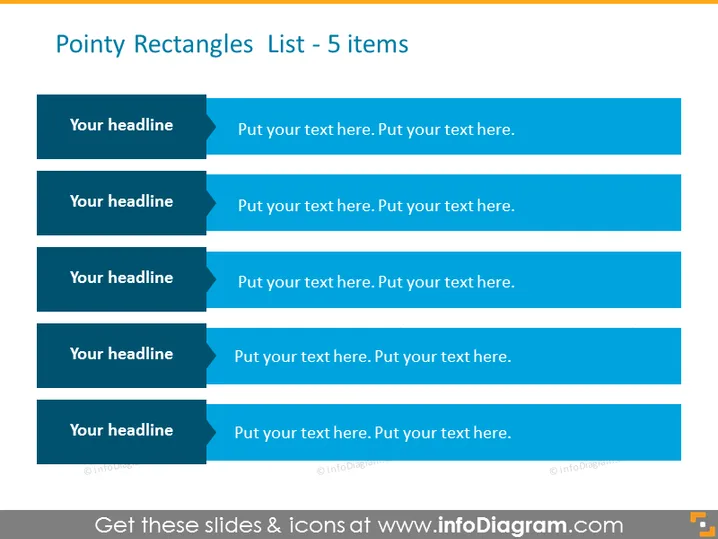
Pointy Rectangles List - 5 items
Slide Content
The slide presents a list-format template with five sections to accommodate bullet points or short descriptions. Each of the five items starts with "Your headline," followed by placeholder text suggesting where additional details can be added for elaboration. These spaces could be used to explain processes, outline services or features, or to discuss items in a step-by-step manner, giving structure to an informative presentation segment.
Graphical Look
- A blue-themed slide with a title at the top in large font.
- Five dark blue rectangular shapes are vertically aligned, each pointing to the right.
- Each rectangle has a lighter blue arrow shape on the left creating a visual break.
- Each rectangle includes white text for the headline, followed by placeholder text in lighter white.
- The rectangles are evenly spaced and arranged in a column, maintaining clear visual separation.
The slide sports a clean and professional design, with a color scheme that suggests corporate or technological themes. The arrow shapes add a sense of progression or sequence to the listed items.
Use Cases
- To outline the key points or features of a product in a sales or marketing presentation.
- As an agenda slide, listing the main topics to be covered in a workshop or meeting.
- For summarizing the steps in a process or the stages of a project timeline.
- In an educational or training context to list lesson objectives or key takeaways.
How to Edit
How to edit text & colors

How to expand / shorten diagram

How to Replace Icons in infoDiagram PPT


