Reviews
Ihre Grafiken verleihen meinen Präsentationen eine nette Note, und ich habe sie kürzlich für eines meiner All-Hands-Meetings verwendet. Ihre Toolbox verleiht meinen Folien Professionalität, anstatt Standard-Clipart zu verwenden.
Ich brauchte einen neuen Blick auf einige meiner Folien. Ich habe versucht, einen Weg zu finden, einen Pinselschlag-Effekt zu erzielen, um zu unterstreichen, hervorzuheben, Farbe hinzuzufügen, und die handgeschriebenen Markierungen waren genau das Richtige. Sehr einfach zu bedienen, leicht in der Größe zu ändern, die Farbe zu ändern. Es war eine erschwingliche, perfekte Lösung und ich empfehle sie gerne weiter.
Die klare, saubere Optik der Grafiken und die Tatsache, dass ich die Farben leicht bearbeiten und an die Vorlage anpassen konnte, war mein Hauptgrund für den Kauf.
Description
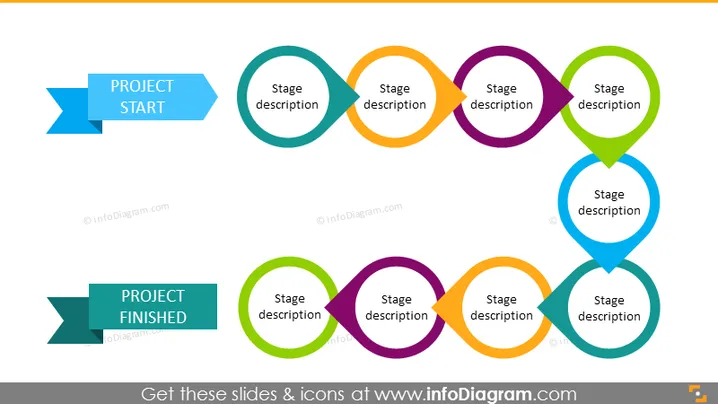
Linear Project Plan Roadmap – 9 Stages
Slide Content:
The PowerPoint slide visually represents the lifecycle of a project from start to finish. The interconnected circles, each labeled with "Stage description," suggest a continuous, step-by-step process. The design implies that each stage is critical and must be completed before moving to the next, symbolizing the flow and interdependency of project stages. "PROJECT START" and "PROJECT FINISHED" banners bookend the sequence, clearly defining the beginning and end points of the project's timeline.
Graphical Look:
- A series of interconnected circles in various colors aligned horizontally across the slide.
- Each circle contains a placeholder label for "Stage description," indicating a segment of the project process.
- Directional arrows within the circles show the flow from one stage to the next.
- Two horizontal banner-like shapes at the beginning and end of the sequence are labeled "PROJECT START" and "PROJECT FINISHED" in bold text.
- The slide background is white, providing a clean and neutral backdrop for the colorful elements.
The slide has a simple and effective design, utilizing color-coded circles and directional arrows to create a visual narrative of a project's progression from inception to completion.
Use Cases:
- In a project kickoff meeting to outline the planned stages and their sequence.
- During a progress update or review meeting to discuss the completion of each stage.
- For orientation of new team members to the project workflow.
- In an educational setting to teach project management fundamentals.
How to Edit
How to edit text & colors

How to expand / shorten diagram

How to Replace Icons in infoDiagram PPT


