Reviews
Your graphics add a nice touch to my presentations and I recently used them for one of my all-hands meetings. Your toolbox adds professionalism to my slides. Instead of using standard clipart.
I needed a fresh look at some of my slides. I've tried to find a way to create a paintbrush effect, to underline, accentuate, add some color and the handwritten markers were just the things. Very easy to use, easy to size, change the color. It was an affordable, perfect solution and I'm happy to recommend it.
The crisp, clean look of the graphics, and the fact that it allowed me to easily edit and change the colors to match the template was my main reason for purchasing them.
Description
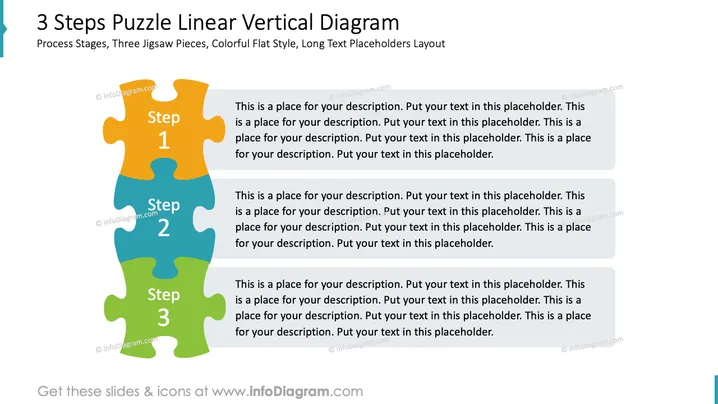
3 Steps Puzzle Linear Vertical Diagram
Slide Content
The slide presents a 3-step process using interlocking puzzle pieces to demonstrate a sequence or progression. Each puzzle piece is labeled with "Step 1," "Step 2," and "Step 3" respectively. Next to each puzzle piece is a placeholder text box designed for detailed explanations of each step. These text boxes provide space for a description and amplifier information, helping audiences to understand the specifics of each stage in the process.
Graphical Look
- Large title at the top of the slide in bold, setting the theme for the slide.
- Subtitle below the title, providing additional context about the slide content.
- Three colorful interlocking puzzle pieces aligned vertically in the center.
- Each puzzle piece is distinguished by a unique color: orange, blue, and green from top to bottom.
- Text labels "Step 1," "Step 2," and "Step 3" are centrally placed within each puzzle piece.
- Three text boxes aligned to the right of the puzzle pieces, one next to each step.
- A circular bullet point with a color corresponding to the adjacent puzzle piece precedes the placeholder text in each text box.
The slide features a minimalist design with an emphasis on color coordination between the text boxes and puzzle pieces. The design is visually engaging while providing a clear structure for conveying a step-by-step process.
Use Cases
- Illustrating a step-by-step progression of a project or business plan.
- Outlining the stages of product development or deployment.
- Presenting a sequence of events in a marketing or sales strategy.
- Explaining chronological steps in a company's growth or change initiative.
How to Edit
How to edit text & colors

How to expand / shorten diagram

How to Replace Icons in infoDiagram PPT


