Reviews
Ihre Grafiken verleihen meinen Präsentationen eine nette Note, und ich habe sie kürzlich für eines meiner All-Hands-Meetings verwendet. Ihre Toolbox verleiht meinen Folien Professionalität, anstatt Standard-Clipart zu verwenden.
Ich brauchte einen neuen Blick auf einige meiner Folien. Ich habe versucht, einen Weg zu finden, einen Pinselschlag-Effekt zu erzielen, um zu unterstreichen, hervorzuheben, Farbe hinzuzufügen, und die handgeschriebenen Markierungen waren genau das Richtige. Sehr einfach zu bedienen, leicht in der Größe zu ändern, die Farbe zu ändern. Es war eine erschwingliche, perfekte Lösung und ich empfehle sie gerne weiter.
Die klare, saubere Optik der Grafiken und die Tatsache, dass ich die Farben leicht bearbeiten und an die Vorlage anpassen konnte, war mein Hauptgrund für den Kauf.
Description
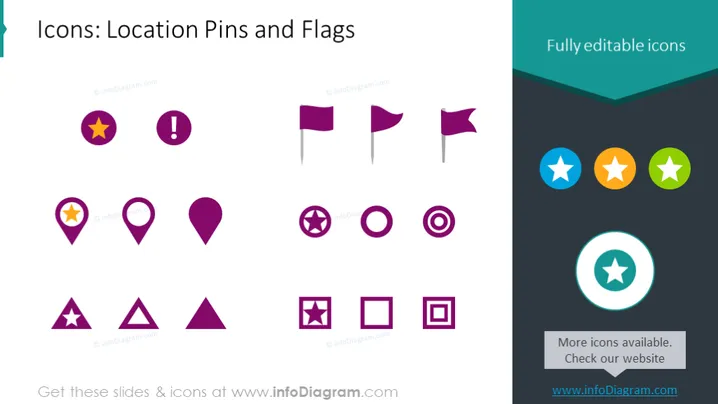
Icons: Location Pins and Flags
Slide Content
The PowerPoint slide presents a collection of icons related to location pins and flags. These icons feature various shapes and symbols including basic pins, pins adorned with stars or exclamation marks, and different flag designs. Each icon set caters to a specific purpose, like marking important places, indicating warnings, or claiming territories. Triangles with cut-out stars may signify points of interest, and squares with centered circles might represent location targets or focus points. The circular icons with a star could be used to highlight featured or top-rated locations.
Graphical Look
- Slide background is a gradient shade of purple to black, adding depth to the design.
- The slide title is placed at the top left in white font, with a larger, bold font size to establish hierarchy.
- A variety of location pin and flag icons are arranged in three columns across the slide.
- The icons are depicted with contrasting colors against the dark background, enhancing visibility.
- Each icon is situated within its own section, spaced evenly across the grid.
- An aqua-colored ribbon banner stretches across the top right corner with the text "Fully editable icons" in white.
- Circular, colorful star icons are positioned in the top right corner, separate from the location and flag icons.
The PowerPoint slide utilizes a clean, consistent design aesthetic with a harmonious color scheme. The icons are organized in a way to quickly convey their purpose, visually separated by type and emphasizing editability and customization..
Use Cases
- For marking key locations in presentations related to travel, tourism, or geography.
- In marketing material to highlight shops, amenities, or attractions on a map.
- During corporate strategy sessions to pinpoint regional offices, markets, or competitive territories.
- In app designs or digital interfaces to indicate user location, destination points, or places of interest.
How to Edit
How to edit text & colors

How to expand / shorten diagram

How to Replace Icons in infoDiagram PPT


