Reviews
Ihre Grafiken verleihen meinen Präsentationen eine nette Note, und ich habe sie kürzlich für eines meiner All-Hands-Meetings verwendet. Ihre Toolbox verleiht meinen Folien Professionalität, anstatt Standard-Clipart zu verwenden.
Ich brauchte einen neuen Blick auf einige meiner Folien. Ich habe versucht, einen Weg zu finden, einen Pinselschlag-Effekt zu erzielen, um zu unterstreichen, hervorzuheben, Farbe hinzuzufügen, und die handgeschriebenen Markierungen waren genau das Richtige. Sehr einfach zu bedienen, leicht in der Größe zu ändern, die Farbe zu ändern. Es war eine erschwingliche, perfekte Lösung und ich empfehle sie gerne weiter.
Die klare, saubere Optik der Grafiken und die Tatsache, dass ich die Farben leicht bearbeiten und an die Vorlage anpassen konnte, war mein Hauptgrund für den Kauf.
Description
Scrum Roles
Slide Content
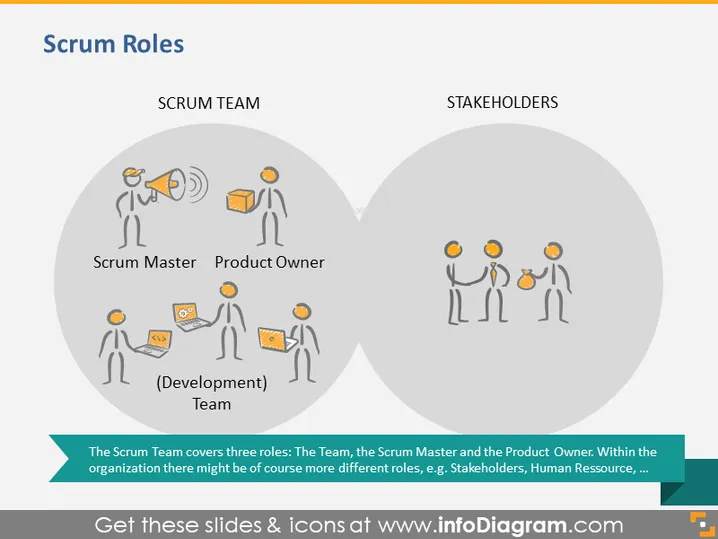
The slide is titled "Scrum Roles" and is divided into two main sections: "SCRUM TEAM" and "STAKEHOLDERS." The Scrum Team is characterized by three roles: the Scrum Master, the Product Owner, and the Development Team. The Scrum Master role likely involves facilitating and guiding the process; the Product Owner prioritizes product features; and the Development Team executes the tasks. Stakeholders are represented in a separate group, highlighting their distinct, yet interconnected, relationship with the Scrum Team.
Graphical Look
- Two overlapping circles create a Venn diagram layout.
- Iconography represents people with roles indicated below each figure:
- The Scrum Master holds a megaphone, symbolizing a communicative role.
- The Product Owner holds a list or a clipboard, indicating organizational responsibilities.
- The Development Team members are shown with laptops, suggesting a focus on task execution.
- Stakeholders are depicted holding up hands, perhaps to symbolize their interest and investment in the project.
- Each role is labeled clearly in a bold font to distinguish between them.
- The color palette is muted with grey backgrounds and orange accents for the icons.
The visual design of the slide is clean and modern, employing minimalistic icons and clear labels to communicate the different roles within a Scrum team and their relationship with stakeholders. The Venn diagram visually signifies the collaborative and overlapping nature of these roles.
Use Cases
- Presenting an overview of roles in Scrum to new team members during an onboarding presentation.
- Clarifying job responsibilities in a Scrum team during a project kickoff meeting.
- Educating clients or stakeholders about the Scrum process and who is involved from the team side.
- Highlighting the organization of the Scrum team in a workshop or training session on Agile methodologies.
How to Edit
How to edit text & colors

How to expand / shorten diagram

How to Replace Icons in infoDiagram PPT


