Reviews
Ihre Grafiken verleihen meinen Präsentationen eine nette Note, und ich habe sie kürzlich für eines meiner All-Hands-Meetings verwendet. Ihre Toolbox verleiht meinen Folien Professionalität, anstatt Standard-Clipart zu verwenden.
Ich brauchte einen neuen Blick auf einige meiner Folien. Ich habe versucht, einen Weg zu finden, einen Pinselschlag-Effekt zu erzielen, um zu unterstreichen, hervorzuheben, Farbe hinzuzufügen, und die handgeschriebenen Markierungen waren genau das Richtige. Sehr einfach zu bedienen, leicht in der Größe zu ändern, die Farbe zu ändern. Es war eine erschwingliche, perfekte Lösung und ich empfehle sie gerne weiter.
Die klare, saubere Optik der Grafiken und die Tatsache, dass ich die Farben leicht bearbeiten und an die Vorlage anpassen konnte, war mein Hauptgrund für den Kauf.
Description
Segmented Bridge & Pillars Concept Graphics
Slide Content
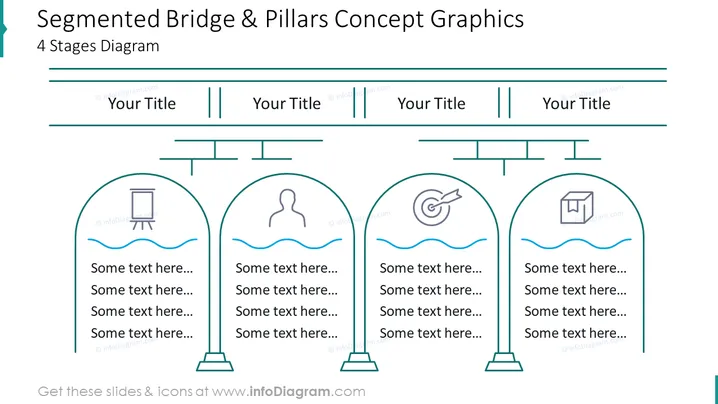
This PowerPoint slide is themed "Segmented Bridge & Pillars Concept Graphics" and illustrates a 4 Stages Diagram. Each stage is symbolized by a pillar standing on a wavy line, representing water or a gap, topped with an icon and space for text. The first pillar icon looks like a presentation screen, perhaps denoting the start or planning phase. The second is a person's silhouette, which can imply a human-focused stage, such as team development or customer interaction. The third shows a target, suggesting a stage focused on goals or outcomes. Finally, the fourth displays a box, which may represent the final product or delivery.
Graphical Look
- The slide uses a tranquil color palette, predominantly shades of blue and teal, suggesting a professional and calm atmosphere.
- It features four rounded arches that serve as the primary visual elements supporting each pillar.
- Each pillar has a distinct icon at the top, within a light-colored circle, to represent a different stage or concept.
- The background is a simple, solid light blue, allowing the content to stand out clearly.
- Horizontal lines connect the tops of the arches, resembling a segmented bridge or a timeline.
- Text placeholders are provided below each pillar for additional information or descriptions.
The overall aesthetic of the slide is clean and orderly, with a well-structured design that eases the visualization of sequences or stages. The icons provide a clear and immediate understanding of each step's significance within the overall concept.
Use Cases
- To outline the steps of a project timeline or development process in business presentations.
- For summarizing the key stages of a product lifecycle, from inception to market release.
- As a visual metaphor for bridging the gap between challenges or obstacles in a process or strategy overview.
- To depict a roadmap for process improvement or change management initiatives, highlighting critical stages and the flow of activities.
How to Edit
How to edit text & colors

How to expand / shorten diagram

How to Replace Icons in infoDiagram PPT


