Reviews
Sus gráficos añaden un toque agradable a mis presentaciones y recientemente los usé para una de mis reuniones generales. Su conjunto de herramientas añade profesionalismo a mis diapositivas. En lugar de usar imágenes prediseñadas estándar.
Necesitaba un aspecto fresco para algunas de mis diapositivas. Había intentado encontrar una forma de crear un efecto de pincel, de subrayar, acentuar, añadir algo de color y los marcadores escritos a mano fueron justo lo que necesitaba. Muy fácil de usar, fácil de ajustar el tamaño, cambiar el color. Fue una solución asequible y perfecta, y estoy feliz de recomendarla.
El aspecto nítido y limpio de los gráficos, y el hecho de que me permitiera editar y cambiar fácilmente los colores para que coincidieran con la plantilla fue mi principal razón para comprarlos.
Description
September (EU)
Slide Content
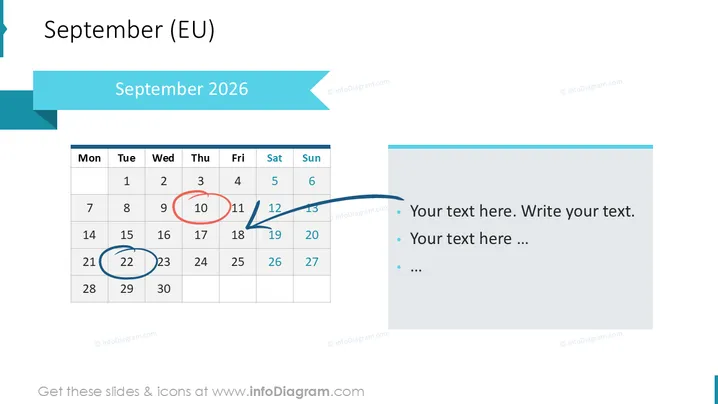
The PowerPoint slide displays a calendar for September 2026 , with particular emphasis on three dates: 11th, 13th, and 23rd. These dates are highlighted using a red circle, a blue arrow pointing to the right, and a blue circle respectively, possibly indicating important events or deadlines. On the right side of the slide, there's space for additional text with bullet points, meant for further explanation or notes corresponding to the highlighted dates on the calendar.
Graphical Look
- The slide features a large, bold title "September 2025" at the top, set against a light blue rectangular banner.
- A standard monthly calendar grid for September occupies the left side, with Sunday as the first day of the week, conforming to European convention.
- Specific dates on the calendar are accentuated with graphic markers: a red circle around the 11th, a large blue arrow pointing to the 13th, and a blue circle around the 23rd.
- The right side contains a text box with three bullet points for additional content.
- The design utilizes a clean, minimalistic style with a white background and a balanced composition.
The overall look of the slide is professional and clear, with a focus on specific dates. The use of colored markers provides an easy visual reference to significant days within the month.
Use Cases
- To schedule and highlight key dates for project milestones or deliverables in a project management presentation.
- For outlining important events, such as conferences or staff training days, within a company or departmental meeting.
- To serve as a planner for marketing campaigns by specifying the launch dates of promotions or other marketing activities.
- In a personal organization seminar, it could be used to demonstrate how to plan and prioritize tasks for better time management.
How to Edit
How to edit text & colors

How to expand / shorten diagram

How to Replace Icons in infoDiagram PPT


