Reviews
Your graphics add a nice touch to my presentations and I recently used them for one of my all-hands meetings. Your toolbox adds professionalism to my slides. Instead of using standard clipart.
I needed a fresh look at some of my slides. I've tried to find a way to create a paintbrush effect, to underline, accentuate, add some color and the handwritten markers were just the things. Very easy to use, easy to size, change the color. It was an affordable, perfect solution and I'm happy to recommend it.
The crisp, clean look of the graphics, and the fact that it allowed me to easily edit and change the colors to match the template was my main reason for purchasing them.
Description
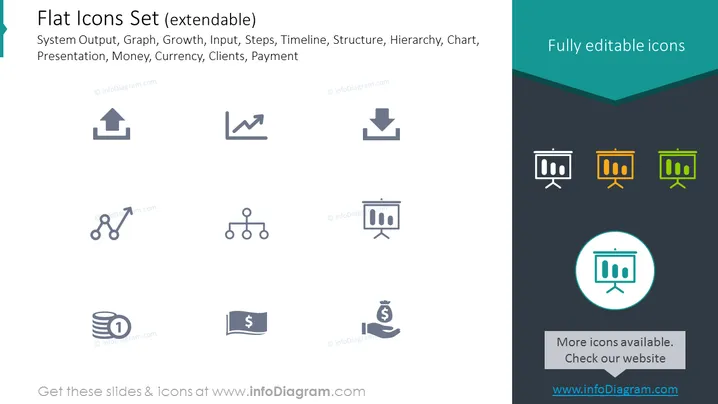
Flat Icons Set (extendable)
Slide Content
The slide showcases a collection fully editable icons meant for various business and presentation contexts, labeled "Flat Icons Set (extendable)." Keywords such as System Output, Graph, Growth, Input, Steps, Timeline, Structure, Hierarchy, Chart, Presentation, Money, Currency, Clients, and Payment are provided. Each icon visually represents one of these concepts, acting as visual aids to categorize and enhance understanding of the distinct elements contained within a business presentation or document.
Graphical Look
- The slide background is split diagonally, with the top-left in light gray and the bottom-right in dark teal.
- A set of eight gray-scale icons are evenly distributed across the top-left section.
- The presentation highlights fully editable icons in the top-right corner with a dark teal backdrop.
- Three colored chart icons in shades of orange, yellow, and green are juxtaposed against the bottom-right darker section.
- A highlighted circular icon with a teal outline and white background is placed centrally in the darker area.
- A rectangular call-to-action button with a light gray outline and text is situated below the highlighted icon.
- Discreet, sans-serif text accompanies each icon, providing a succinct indication of their individual function.
The slide is clean and professional, using a limited color palette and simple iconography to ensure clarity and ease of comprehension. The use of contrasting background colors effectively segregates the icon categories and draws attention to the main elements.
Use Cases
- Introducing visual elements in corporate presentations to illustrate different business processes or concepts.
- Enhancing reports or informational documents with icons to provide clear, at-a-glance comprehension of key points.
- Creating infographics for marketing materials where visual simplicity and recognition are of high importance.
- Compiling educational resources or tutorials where icons can serve as easy-to-understand symbols for various steps or components.
How to Edit
How to edit text & colors

How to expand / shorten diagram

How to Replace Icons in infoDiagram PPT


