Reviews
Ihre Grafiken verleihen meinen Präsentationen eine nette Note, und ich habe sie kürzlich für eines meiner All-Hands-Meetings verwendet. Ihre Toolbox verleiht meinen Folien Professionalität, anstatt Standard-Clipart zu verwenden.
Ich brauchte einen neuen Blick auf einige meiner Folien. Ich habe versucht, einen Weg zu finden, einen Pinselschlag-Effekt zu erzielen, um zu unterstreichen, hervorzuheben, Farbe hinzuzufügen, und die handgeschriebenen Markierungen waren genau das Richtige. Sehr einfach zu bedienen, leicht in der Größe zu ändern, die Farbe zu ändern. Es war eine erschwingliche, perfekte Lösung und ich empfehle sie gerne weiter.
Die klare, saubere Optik der Grafiken und die Tatsache, dass ich die Farben leicht bearbeiten und an die Vorlage anpassen konnte, war mein Hauptgrund für den Kauf.
Description
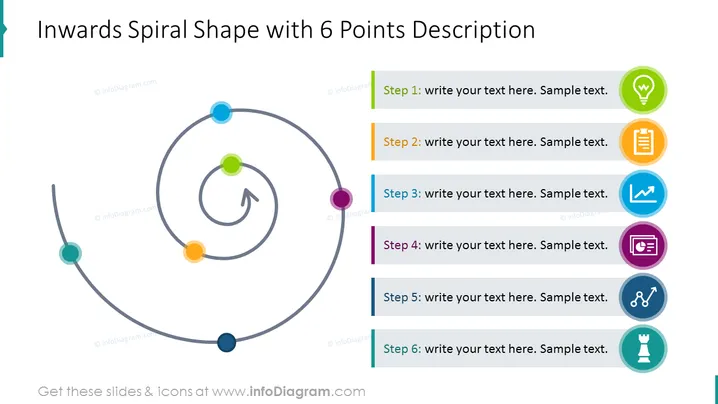
Inwards Spiral Shape with 6 Points Description
Slide Content
The slide presents an inward spiral progression with six distinct stages. Each stage is represented by a colored circle and has a space for a description next to it. The layout suggests a sequential process that circles back to a central point, implying a cyclical review or iterative process.
Graphical Look
- The slide’s background is white, providing a clean, uncluttered canvas for the content.
- A large, gray inwards spiral shape occupies the left half of the slide with colored circles indicating different stages.
- Each colored circle aligns with a rectangular colored bar on the right side, which contains placeholder text indicating steps 1 through 6.
- The placeholder text is presented in a dark font color, ensuring readability against the light background.
- Accompanying each step are icons to the right, matching the color of the respective stage circle and bar, adding a visual category icon for each step.
- An arrowhead points from the innermost circle outward, suggesting a return to the start or a connection to a larger cycle.
The slide is balanced, with graphical elements on the left and text content on the right. Color coding unifies the design and aids in distinguishing between stages.
Use Cases
- Outlining the steps in a process improvement cycle, where each iteration circles back to the point of origin for review.
- Describing the phases of a product development process that requires revisiting previous steps for refinement.
- Illustrating customer feedback loops in a service improvement plan.
- Presenting stages in a continuous learning and development framework for individuals or teams.
How to Edit
How to edit text & colors

How to expand / shorten diagram

How to Replace Icons in infoDiagram PPT


