Reviews
Ihre Grafiken verleihen meinen Präsentationen eine nette Note, und ich habe sie kürzlich für eines meiner All-Hands-Meetings verwendet. Ihre Toolbox verleiht meinen Folien Professionalität, anstatt Standard-Clipart zu verwenden.
Ich brauchte einen neuen Blick auf einige meiner Folien. Ich habe versucht, einen Weg zu finden, einen Pinselschlag-Effekt zu erzielen, um zu unterstreichen, hervorzuheben, Farbe hinzuzufügen, und die handgeschriebenen Markierungen waren genau das Richtige. Sehr einfach zu bedienen, leicht in der Größe zu ändern, die Farbe zu ändern. Es war eine erschwingliche, perfekte Lösung und ich empfehle sie gerne weiter.
Die klare, saubere Optik der Grafiken und die Tatsache, dass ich die Farben leicht bearbeiten und an die Vorlage anpassen konnte, war mein Hauptgrund für den Kauf.
Description
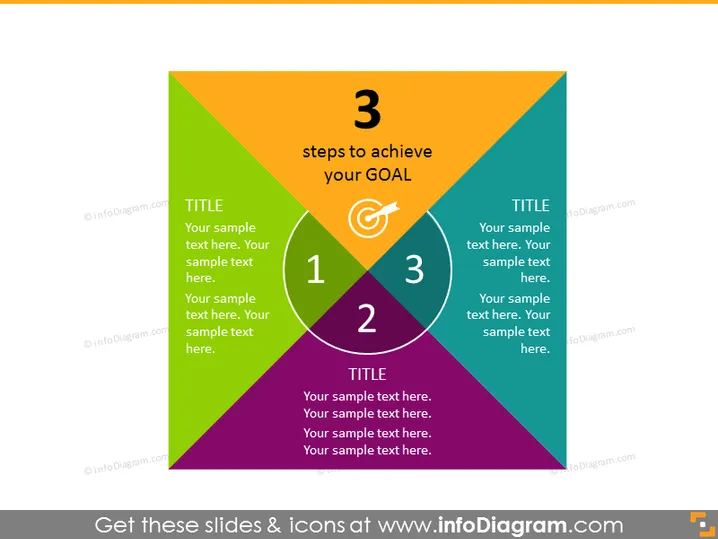
3 steps to achieve your GOAL
Slide Content
The PowerPoint slide presents a model called "3 steps to achieve your GOAL," featuring a triangular diagram divided into three sections, each assigned a different color, representing three distinct steps. In each section, there is a prominent number (1, 2, or 3) indicating the sequence of steps, accompanied by the word "TITLE" and placeholder text for the presenter to explain what each step entails. These descriptions are crucial as they define the key stages or actions necessary to reach a specific goal.
Graphical Look
- Three large triangular segments combine to form a central triangle, each in a bold color - green, purple, and orange - signifying individual steps.
- White circular outlines intersecting at the center highlight the connectivity and interaction between the steps.
- Large white numbers (1, 2, 3) are overlaid on the circular outlines, indicating the order of the steps.
- Each segment contains a placeholder for a title and additional descriptive text in a smaller font.
- An icon resembling a target or goal symbol is placed at the central intersection of the circles.
- The slide uses a contrasting color palette for the text, ensuring readability against the colorful background.
The slide is visually dynamic and utilizes color coding and geometric shapes to indicate a progression or relationship between the concepts. The central goal icon serves as a focal point signifying the ultimate objective of the steps detailed.
Use Cases
- Presenting a project plan or roadmap in business meetings to illustrate the progression of tasks.
- Organizing and displaying the phases of a marketing strategy to a team or potential clients.
- Explaining a step-by-step process for achieving a specific business outcome in training sessions.
- Highlighting milestone achievements in a company's quarterly or annual report presentation.
How to Edit
How to edit text & colors

How to expand / shorten diagram

How to Replace Icons in infoDiagram PPT


