Reviews
Your graphics add a nice touch to my presentations and I recently used them for one of my all-hands meetings. Your toolbox adds professionalism to my slides. Instead of using standard clipart.
I needed a fresh look at some of my slides. I've tried to find a way to create a paintbrush effect, to underline, accentuate, add some color and the handwritten markers were just the things. Very easy to use, easy to size, change the color. It was an affordable, perfect solution and I'm happy to recommend it.
The crisp, clean look of the graphics, and the fact that it allowed me to easily edit and change the colors to match the template was my main reason for purchasing them.
Description
Project Steps Sand Footprint Roadmap Picture
Slide Content:
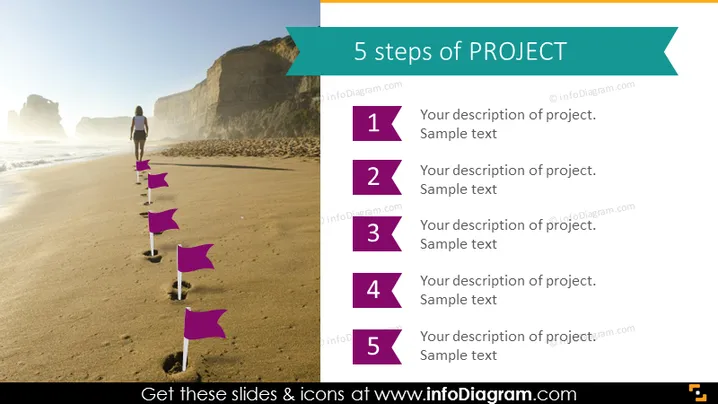
The PowerPoint slide is structured to guide the viewer through the "5 steps of PROJECT," with each step denoted by a numbered flag. The flags presumably represent sequential phases or tasks in a project's lifecycle. Each number from 1 to 5 is followed by placeholders for a description of the project step, providing a format for elaborating on project details, objectives, or milestones. This layout facilitates a clear understanding of the project's structure and progression.
Graphical Look:
- A series of five purple flag icons, placed along a sandy beach, leading to a figure in the distance, suggesting forward motion or progress.
- A teal-colored banner across the top with the title "5 steps of PROJECT" in white font.
- To the right of the flags, there are corresponding numbers each with a space for text adjacent to them.
- The background image depicts a sunny beach scene, with cliffs in the distance and clear blue skies, imparting a sense of journey and exploration.
The slide's overall look is dynamic and visually engaging, combining real-world imagery with graphic elements to suggest progress and forward movement. The color scheme is bright and clear, ensuring the information stands out.
Use Cases:
- In project management meetings to outline the phases of a project.
- During workshops to explain a step-by-step approach to project execution.
- In educational settings to teach project management methodologies.
- As a visual aid in marketing presentations to describe the stages of a campaign rollout.
How to Edit
How to edit text & colors

How to expand / shorten diagram

How to Replace Icons in infoDiagram PPT


