Reviews
Sus gráficos añaden un toque agradable a mis presentaciones y recientemente los usé para una de mis reuniones generales. Su conjunto de herramientas añade profesionalismo a mis diapositivas. En lugar de usar imágenes prediseñadas estándar.
Necesitaba un aspecto fresco para algunas de mis diapositivas. Había intentado encontrar una forma de crear un efecto de pincel, de subrayar, acentuar, añadir algo de color y los marcadores escritos a mano fueron justo lo que necesitaba. Muy fácil de usar, fácil de ajustar el tamaño, cambiar el color. Fue una solución asequible y perfecta, y estoy feliz de recomendarla.
El aspecto nítido y limpio de los gráficos, y el hecho de que me permitiera editar y cambiar fácilmente los colores para que coincidieran con la plantilla fue mi principal razón para comprarlos.
Description
Teardrop Shape List of 6 Elements
Slide Content
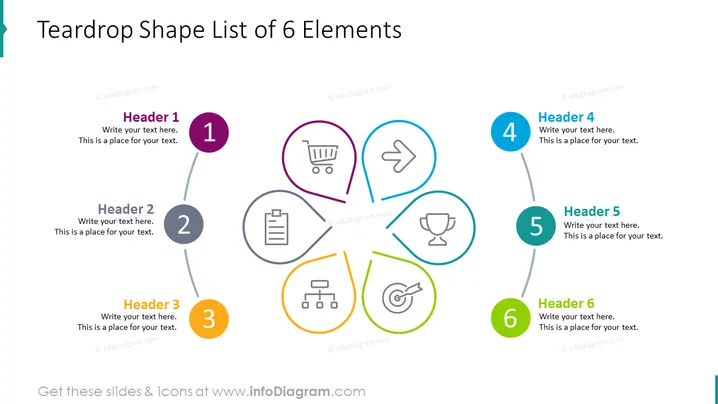
This PowerPoint slide titled "Teardrop Shape List of 6 Elements" outlines six concepts, each associated with a teardrop-shaped bullet point. The items are numbered 1 to 6, with a short header and placeholder text for additional details. The topics suggested by icons include commerce represented by a shopping cart, direction or movement indicated by an arrow, documentation shown by a clipboard, achievement symbolized by a trophy, hierarchy or organization depicted by a structure diagram, and target or goal illustrated by a bullseye.
Graphical Look
- Six teardrop-shaped graphics are arranged in a circular formation, each connected to a centered circular area with grey lines.
- Each teardrop shape contains an icon and is uniquely colored: purple, grey, orange, light blue, teal, and green.
- To the right of each teardrop shape, there is a corresponding numbered circle matching the color of the teardrop shape, with a header and a text space.
- The icons inside the teardrops represent a shopping cart, an arrow, a clipboard, a trophy, an organizational chart, and a dartboard with an arrow.
- The background of the slide is plain white.
- The overall use of color is reserved, with only the teardrop shapes, numbered circles, and the icons within them having distinctive colors.
The slide has a clean and professional appearance with a pop of color used smartly to differentiate elements. The use of icons within the teardrop shapes offers a visual representation of abstract concepts, which aids in communicating the slide's key points effectively.
Use Cases
- Presenting key business strategies or components during company meetings or stakeholder presentations.
- Illustrating steps in a process or different aspects of a project in a project management briefing.
- Summarizing multiple services or product features in a sales or marketing presentation.
- Outlining organizational values or principles in an internal company training or orientation session.
How to Edit
How to edit text & colors

How to expand / shorten diagram

How to Replace Icons in infoDiagram PPT


