Reviews
Ihre Grafiken verleihen meinen Präsentationen eine nette Note, und ich habe sie kürzlich für eines meiner All-Hands-Meetings verwendet. Ihre Toolbox verleiht meinen Folien Professionalität, anstatt Standard-Clipart zu verwenden.
Ich brauchte einen neuen Blick auf einige meiner Folien. Ich habe versucht, einen Weg zu finden, einen Pinselschlag-Effekt zu erzielen, um zu unterstreichen, hervorzuheben, Farbe hinzuzufügen, und die handgeschriebenen Markierungen waren genau das Richtige. Sehr einfach zu bedienen, leicht in der Größe zu ändern, die Farbe zu ändern. Es war eine erschwingliche, perfekte Lösung und ich empfehle sie gerne weiter.
Die klare, saubere Optik der Grafiken und die Tatsache, dass ich die Farben leicht bearbeiten und an die Vorlage anpassen konnte, war mein Hauptgrund für den Kauf.
Description
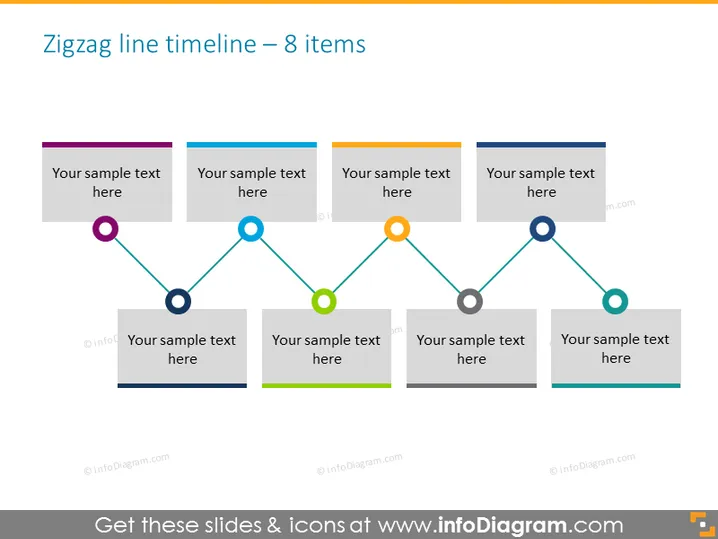
Zigzag line timeline – 8 items
Slide Content
The slide presents a zigzag timeline design consisting of 8 items, each represented by a colored circle connected by lines, suggesting sequential steps or events. Every other item features a text box for descriptions aligned alternately above and below the timeline. This structure implies a chronological flow of information or milestones that can be used to highlight a process, a series of events, or the progression of a project over time.
Graphical Look
- A dark grayish-blue background color.
- A zigzagging line that alternates direction between each item, creating a visual path across the slide.
- Eight circular nodes, each a different color (purple, light blue, green, orange, teal) to mark the timeline items.
- Horizontal rectangular text boxes aligned alternately above and below the zigzag line.
- Text placeholders labeled "Your sample text here" in each text box.
- The color palette uses contrasting hues for visibility against the background.
- Each node is outlined, making them distinct against both the line and background.
- The zigzag line and nodes exhibit a 3D effect through subtle shading and highlights.
The slide design is modern and professional, with a clean layout that emphasizes the chronological order of events. The use of alternating text positions provides a dynamic visual flow.
Use Cases
- To showcase project milestones in a business presentation.
- For illustrating chronological steps in a strategic planning session.
- To highlight key achievements or events in an annual company review.
- To visualize phases of product development in an investor pitch.
How to Edit
How to edit text & colors

How to expand / shorten diagram

How to Replace Icons in infoDiagram PPT


