Reviews
Your graphics add a nice touch to my presentations and I recently used them for one of my all-hands meetings. Your toolbox adds professionalism to my slides. Instead of using standard clipart.
I needed a fresh look at some of my slides. I've tried to find a way to create a paintbrush effect, to underline, accentuate, add some color and the handwritten markers were just the things. Very easy to use, easy to size, change the color. It was an affordable, perfect solution and I'm happy to recommend it.
The crisp, clean look of the graphics, and the fact that it allowed me to easily edit and change the colors to match the template was my main reason for purchasing them.
Description
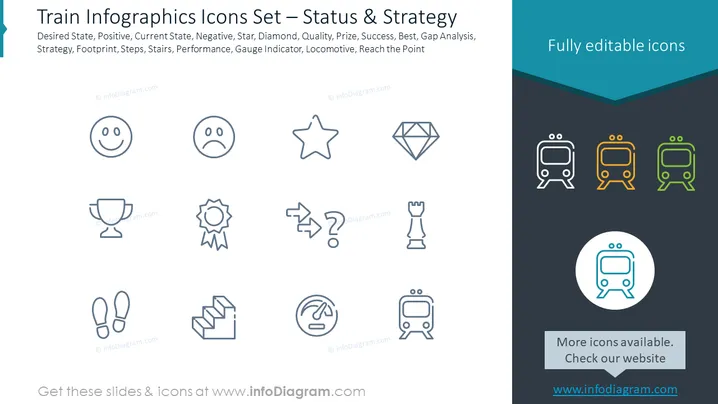
Train Infographics Icons Set – Status & Strategy
Slide Content: The slide is titled "Train Infographics Icons Set – Status & Strategy" and features a collection of icons related to performance assessment and business strategy elements. The icons represent various concepts: a happy face for desired state or positive outlook, a sad face for current state or negative results, a star perhaps symbolizing a goal or quality, a diamond indicating premium quality or a coveted prize, a trophy as a representation of success or victory, a gear for ongoing processes or strategy, an arrow diagram for gap analysis or decision making, footprints for steps taken or a strategy path, stairs indicating progress or ascendancy, a gauge for measuring performance or progress, and a train for momentum or reaching a target.
Graphical Look:
- The slide background is white, offering a clean and uncluttered canvas for the icons.
- A dark teal header section spans the top with white text for the slide title.
- Below the header, the icons are neatly arranged in two rows against the white background.
- Each icon is a simplified, stylized graphic within a light gray circle.
- Icons are in shades of black and gray, offering a monochromatic theme, except for the train icons which are multicolored – one each in black, orange, and green, standing out from the rest.
- "Fully editable icons" is stated in bold in the upper right corner inside the teal header.
- A lighter gray footer section includes a central message promoting more icons and the respective website.
- The fonts used for the texts are sans-serif, modern, and easy to read.
The overall design of the slide is modern and professional, utilizing a minimalist iconographic style. The color palette is mostly monochromatic with a pop of color in the train icons to draw attention.
Use Cases:
- To visually explain different aspects of a business's current status and strategic goals in a meeting or presentation.
- As visual aids during team discussions on progress , performance improvement, and planning next steps for project management.
- In marketing presentations to highlight the benefits and superior quality of products or services using symbolic representations.
- During training sessions to illustrate concepts related to business strategy, performance metrics, decision making, and paths to success.
How to Edit
How to edit text & colors

How to expand / shorten diagram

How to Replace Icons in infoDiagram PPT


