Reviews
Sus gráficos añaden un toque agradable a mis presentaciones y recientemente los usé para una de mis reuniones generales. Su conjunto de herramientas añade profesionalismo a mis diapositivas. En lugar de usar imágenes prediseñadas estándar.
Necesitaba un aspecto fresco para algunas de mis diapositivas. Había intentado encontrar una forma de crear un efecto de pincel, de subrayar, acentuar, añadir algo de color y los marcadores escritos a mano fueron justo lo que necesitaba. Muy fácil de usar, fácil de ajustar el tamaño, cambiar el color. Fue una solución asequible y perfecta, y estoy feliz de recomendarla.
El aspecto nítido y limpio de los gráficos, y el hecho de que me permitiera editar y cambiar fácilmente los colores para que coincidieran con la plantilla fue mi principal razón para comprarlos.
Description
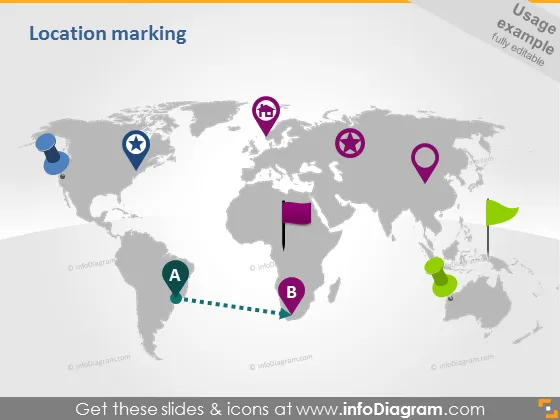
Location marking
Slide Content
The slide is titled "Location marking" and appears to be a conceptual representation of how to visually display geographical locations on a world map. There are various markers used to denote locations, connected by a dashed line indicating a path or relationship between two points labeled 'A' and 'B'. The slide probably serves as a guide for how to mark locations in a visual presentation or map-centric analysis context.
Graphical Look
- A world map in greyscale serves as the background.
- Different colored location markers are placed on the map, including blue, purple, green, and pink.
- The location markers vary in design: some are round with icons inside, and others have flag-like shapes.
- There are two labels, 'A' and 'B', linked by a dashed line, indicating a sequence or connection.
- A green circular shape, possibly representing a location, has a leaf-like design, suggesting an eco-friendly or green concept.
- The visual elements are modern, using flat design and simple icons for clarity and aesthetics.
The overall look of the slide is modern and clean, with a professional appearance. The use of different colors and icons makes it visually engaging and allows for easy differentiation between the various location markers.
Use Cases
- To show company office locations, manufacturing sites, or areas of operation in a corporate presentation.
- To indicate stages in a logistical route or supply chain process.
- To highlight areas of interest or intervention in a presentation for a non-profit or environmental organization.
- To showcase travel or tour routes in a travel agency's promotional material.
How to Edit
How to edit text & colors

How to expand / shorten diagram

How to Replace Icons in infoDiagram PPT


