Reviews
Sus gráficos añaden un toque agradable a mis presentaciones y recientemente los usé para una de mis reuniones generales. Su conjunto de herramientas añade profesionalismo a mis diapositivas. En lugar de usar imágenes prediseñadas estándar.
Necesitaba un aspecto fresco para algunas de mis diapositivas. Había intentado encontrar una forma de crear un efecto de pincel, de subrayar, acentuar, añadir algo de color y los marcadores escritos a mano fueron justo lo que necesitaba. Muy fácil de usar, fácil de ajustar el tamaño, cambiar el color. Fue una solución asequible y perfecta, y estoy feliz de recomendarla.
El aspecto nítido y limpio de los gráficos, y el hecho de que me permitiera editar y cambiar fácilmente los colores para que coincidieran con la plantilla fue mi principal razón para comprarlos.
Description
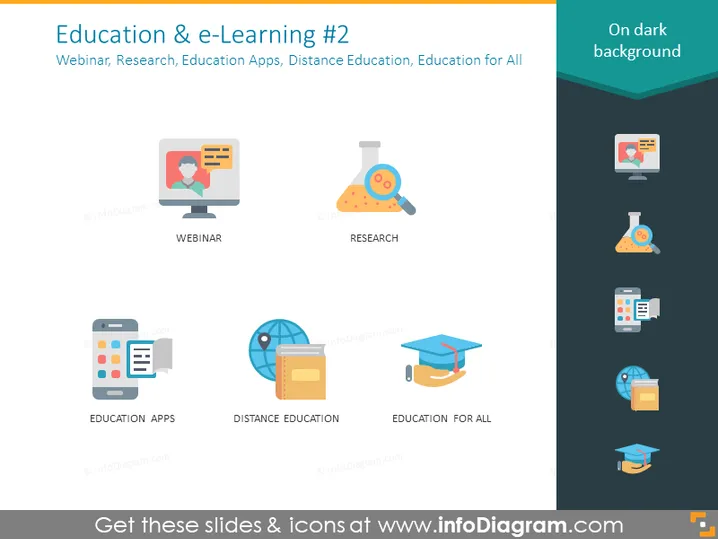
Education & e-Learning #2
Slide Content
The PowerPoint slide titled "Education & e-Learning #2" covers various aspects of modern learning methods. Webinar indicates an online interactive seminar format. Research suggests a focus on scientific inquiry and investigation aided by digital tools. Education Apps point to mobile applications designed for learning purposes. Distance Education refers to remote learning opportunities beyond traditional classrooms. Lastly, Education for All encapsulates the inclusivity and accessibility of education through technology.
Graphical Look
- The slide background is a dark shade with a lighter gradient at the top.
- Five colorful icons are evenly distributed across the slide, each representing a different education-related concept.
- The icons are flat, modern designs with a playful look and feel, and each is accompanied by a label.
- The colors used in the icons include shades of blue, orange, and gray for a friendly and approachable palette.
- There are no additional graphical elements or decorative patterns, emphasizing a clean, minimalist style.
The slide has a contemporary and sleek appearance with a focus on clarity and visual appeal through bold icons and simple labels.
Use Cases
- Presenting the scope and benefits of various e-learning solutions in educational institutions.
- Discussing the role of technology in making education more accessible during a conference or seminar.
- Exploring different mediums and methods of digital learning within corporate training programs.
- Illustrating the components of an e-learning strategy in business or academic settings.
How to Edit
How to edit text & colors

How to expand / shorten diagram

How to Replace Icons in infoDiagram PPT


