Reviews
Sus gráficos añaden un toque agradable a mis presentaciones y recientemente los usé para una de mis reuniones generales. Su conjunto de herramientas añade profesionalismo a mis diapositivas. En lugar de usar imágenes prediseñadas estándar.
Necesitaba un aspecto fresco para algunas de mis diapositivas. Había intentado encontrar una forma de crear un efecto de pincel, de subrayar, acentuar, añadir algo de color y los marcadores escritos a mano fueron justo lo que necesitaba. Muy fácil de usar, fácil de ajustar el tamaño, cambiar el color. Fue una solución asequible y perfecta, y estoy feliz de recomendarla.
El aspecto nítido y limpio de los gráficos, y el hecho de que me permitiera editar y cambiar fácilmente los colores para que coincidieran con la plantilla fue mi principal razón para comprarlos.
Description
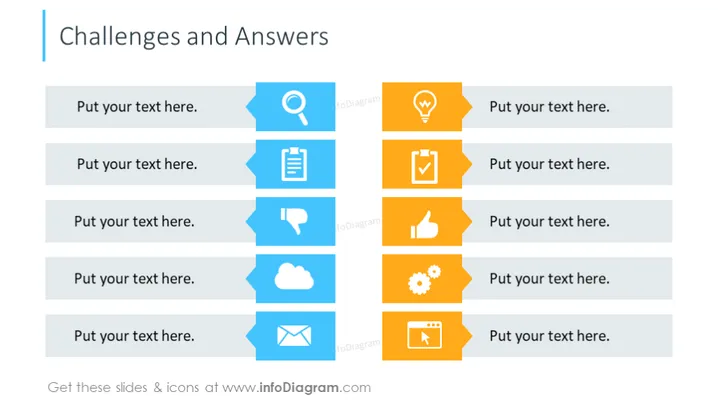
Challenges and Answers
Slide Content
This PowerPoint slide is designed to capture challenges and corresponding answers. It structures a series of six items, each comprising a space titled "Put your text here." This setup suggests a layout for presenting problems and their solutions in pairs. Every challenge-answer pair is associated with an icon, intending to visually represent the nature of the challenge or solution element.
Graphical Look
- The slide has a clean, dual-column layout.
- On the left column, there are three pairs of horizontally aligned rectangles; the left rectangles are light blue with text placeholders, the right ones feature icons.
- On the right column, three pairs of horizontally aligned rectangles mirror the left side, but with orange rectangles for text placeholders.
- Each pair is divided by a thin white space, creating a clear distinction between the rows.
- Icons are varied and include a magnifying glass, a clipboard, a thumbs down symbol, a cloud, a gear, and a film play button.
- Each icon is encased by a darker circle, providing visual contrast and focus.
- The overall graphical elements have a flat design style, with simple shapes and no gradients.
The overall look of the slide is modern and professional, using a color scheme that alternates between blue and orange to distinguish challenges from answers and maintain visual interest.
Use Cases
- To break down complex projects into manageable issues and their possible resolutions.
- For brainstorming sessions where identifying and solving problems is needed.
- In strategy meetings to outline obstacles and strategic responses.
- During training or educational presentations to compare theoretical or practical problems with their solutions.
How to Edit
How to edit text & colors

How to expand / shorten diagram

How to Replace Icons in infoDiagram PPT


