Reviews
Sus gráficos añaden un toque agradable a mis presentaciones y recientemente los usé para una de mis reuniones generales. Su conjunto de herramientas añade profesionalismo a mis diapositivas. En lugar de usar imágenes prediseñadas estándar.
Necesitaba un aspecto fresco para algunas de mis diapositivas. Había intentado encontrar una forma de crear un efecto de pincel, de subrayar, acentuar, añadir algo de color y los marcadores escritos a mano fueron justo lo que necesitaba. Muy fácil de usar, fácil de ajustar el tamaño, cambiar el color. Fue una solución asequible y perfecta, y estoy feliz de recomendarla.
El aspecto nítido y limpio de los gráficos, y el hecho de que me permitiera editar y cambiar fácilmente los colores para que coincidieran con la plantilla fue mi principal razón para comprarlos.
Description
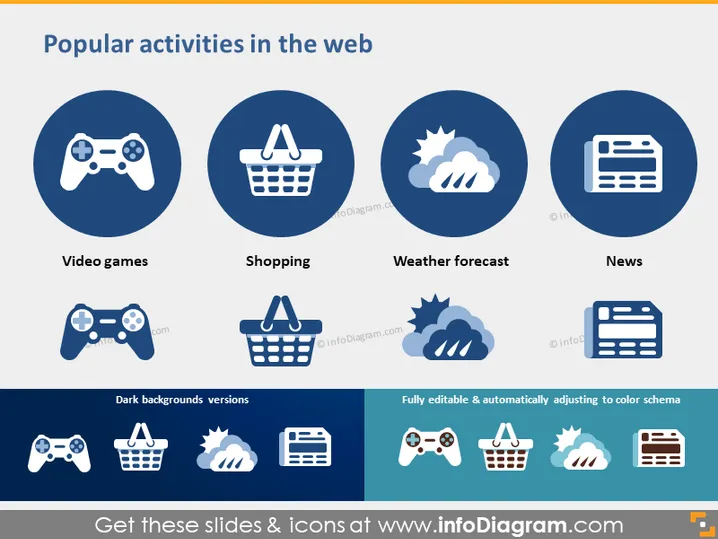
Popular activities in the web
Slide Content
The slide presents four popular activities that people engage with online, each accompanied by a circle containing a representative icon. "Video games" is depicted by a game controller, suggesting gaming is a frequent online activity. "Shopping" is shown with a shopping basket icon, illustrating the prevalence of e-commerce. "Weather forecast" features cloud and sun icons, indicating that checking weather online is commonplace. "News" is symbolized by a newspaper icon, highlighting the engagement with current events online.
Graphical Look
- The slide has a clean and modern design with a blue and white color scheme.
- There are four large circular shapes, each with a white icon inside, representing different web activities against a deep blue background.
- Underneath each circle is a caption in white text indicating the activity the icon represents.
- The lower part of the slide shows smaller versions of the icons in white against varying shades of blue squares, pointing to different background color options.
- To the right of the smaller icons, there is text indicating that the elements are fully editable and can adjust to different color schemes.
The overall look is professional and visually appealing, using icons and color contrast effectively to convey the message. The design is unified and easily digestible, with a clear focus on the icons and text.
Use Cases
- To highlight the most common online activities during a digital marketing presentation.
- In discussions about user behavior on the internet in a business strategy meeting.
- To introduce a web platform's features by showcasing the activities it supports during a product demonstration.
- For educational purposes in a workshop or seminar about internet usage trends.
How to Edit
How to edit text & colors

How to expand / shorten diagram

How to Replace Icons in infoDiagram PPT


