Reviews
Your graphics add a nice touch to my presentations and I recently used them for one of my all-hands meetings. Your toolbox adds professionalism to my slides. Instead of using standard clipart.
I needed a fresh look at some of my slides. I've tried to find a way to create a paintbrush effect, to underline, accentuate, add some color and the handwritten markers were just the things. Very easy to use, easy to size, change the color. It was an affordable, perfect solution and I'm happy to recommend it.
The crisp, clean look of the graphics, and the fact that it allowed me to easily edit and change the colors to match the template was my main reason for purchasing them.
Description
World Map
Slide Content
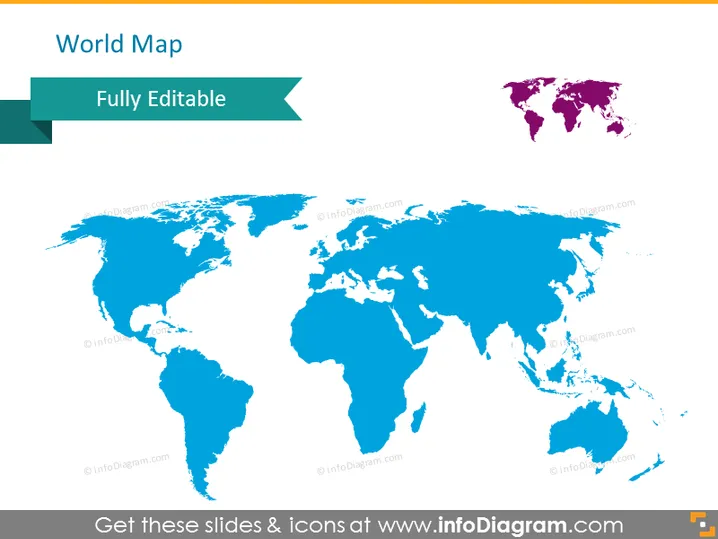
The PowerPoint slide displays a title "World Map" followed by a subtitle, "Fully Editable." It suggests that the provided world map is customizable, allowing users to tailor it to specific presentation needs. "Fully Editable" implies that every aspect of the map can be modified, such as colors, sizes, or adding annotations for presentations that require a visual representation of global or regional information.
Graphical Look
- A large map of the world centers the slide, with continents filled in shades of blue.
- A ribbon-shaped banner at the top left corner overlaps the map, containing the slide title "World Map" in white text.
- An accompanying smaller banner extends from the ribbon, displaying the subtitle "Fully Editable."
- The world map showcases contrast with a miniaturized version of the map in purple, positioned on the top right corner.
- The color palette seems limited to various blue hues for the main map, with an accent of purple for the smaller map.
The slide is dominated by the centrally placed visual of the world map, with an emphasis on simplicity and minimalism. The contrasting mini-map in the corner adds a possibly functional or decorative element to the composition.
Use Cases
- To illustrate global market presence or the scope of an international business during corporate presentations.
- For educational purposes, such as teaching geography or discussing global phenomena like climate change or pandemics.
- In strategy meetings where visualizing international expansion plans or supply chain logistics is required.
- As a template during trade conferences to highlight countries involved in specific agreements or partnerships.
How to Edit
How to edit text & colors

How to expand / shorten diagram

How to Replace Icons in infoDiagram PPT


