Reviews
Your graphics add a nice touch to my presentations and I recently used them for one of my all-hands meetings. Your toolbox adds professionalism to my slides. Instead of using standard clipart.
I needed a fresh look at some of my slides. I've tried to find a way to create a paintbrush effect, to underline, accentuate, add some color and the handwritten markers were just the things. Very easy to use, easy to size, change the color. It was an affordable, perfect solution and I'm happy to recommend it.
The crisp, clean look of the graphics, and the fact that it allowed me to easily edit and change the colors to match the template was my main reason for purchasing them.
Description
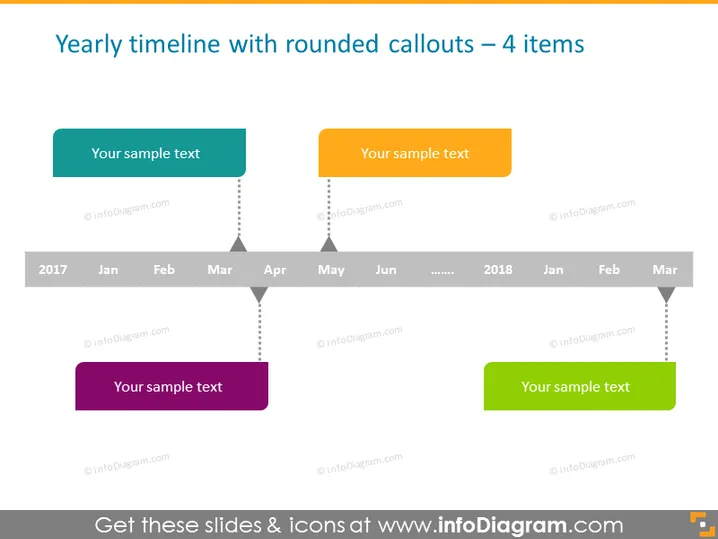
Yearly timeline with rounded callouts – 4 items
Slide Content
The PowerPoint slide presents a "Yearly timeline with rounded callouts" containing 4 items. Each item includes a rounded rectangular callout connected by a dashed line to a horizontal timeline at the bottom, representing specific months and years (2017 to 2018). The callouts are in different colors and contain placeholder text indicating where a presentation can include their custom information. This layout allows for a neat and organized display of sequential events or milestones over the course of a year.
Graphical Look
- The slide background is plain and light-colored, possibly white.
- There is a horizontal timeline situated at the bottom of the slide that spans from 2017 to March 2018, with abbreviated month names and ellipses signifying continuation.
- Four rounded rectangular callouts are connected to the timeline by dashed lines, possibly representing different events or points in time.
- Each callout has its own distinctive color: teal, orange, purple, and green, and contains the text "Your sample text."
- The text within the callouts appears to be a placeholder for presentations to include specific details.
The overall look of the slide is clean and modern with a simplistic color scheme. The use of different colors for the callouts along with the dashed lines creates a visually engaging design that effectively draws attention to key information.
Use Cases
- Illustrating the progression of a project's milestones or important dates during the year.
- Showing a company's quarterly achievements or targets in a business review meeting.
- Outlining historical events in an educational presentation to provide a timeline context.
- Summarizing the phases of a product launch plan across multiple months in a marketing strategy presentation.
How to Edit
How to edit text & colors

How to expand / shorten diagram

How to Replace Icons in infoDiagram PPT


