Reviews
Sus gráficos añaden un toque agradable a mis presentaciones y recientemente los usé para una de mis reuniones generales. Su conjunto de herramientas añade profesionalismo a mis diapositivas. En lugar de usar imágenes prediseñadas estándar.
Necesitaba un aspecto fresco para algunas de mis diapositivas. Había intentado encontrar una forma de crear un efecto de pincel, de subrayar, acentuar, añadir algo de color y los marcadores escritos a mano fueron justo lo que necesitaba. Muy fácil de usar, fácil de ajustar el tamaño, cambiar el color. Fue una solución asequible y perfecta, y estoy feliz de recomendarla.
El aspecto nítido y limpio de los gráficos, y el hecho de que me permitiera editar y cambiar fácilmente los colores para que coincidieran con la plantilla fue mi principal razón para comprarlos.
Description
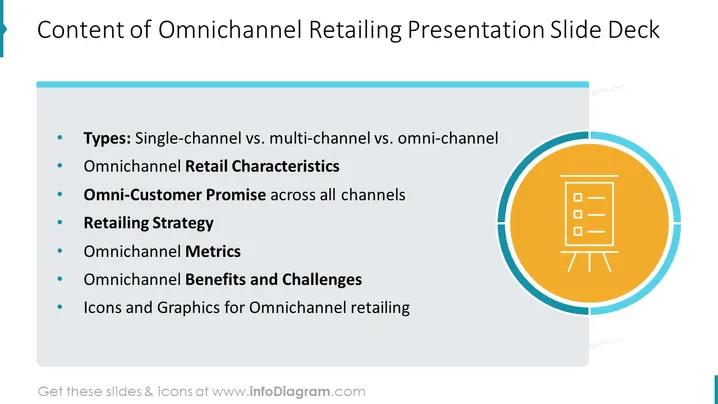
Content of Omnichannel Retailing Presentation Slide Deck
Slide Content
This PowerPoint slide outlines the structure of a presentation about omnichannel retailing. The contents listed include: "Types: Single-channel vs. multi-channel vs. omni-channel," comparing different retail approaches; "Omnichannel Retail Characteristics," detailing the features of omnichannel retailing; "Omni-Customer Promise," emphasizing consistent customer experience; "Retailing Strategy," discussing approaches to market presence; "Omnichannel Metrics," focusing on performance measurement; "Omnichannel Benefits and Challenges," analyzing advantages and obstacles; and "Icons and Graphics for Omnichannel retailing," suggesting visual aids for the presentation.
Graphical Look
- The slide has a clean, modern design with a predominantly white background, complemented by blue and orange accents.
- In the upper-left corner, there is a decorative blue bookmark ribbon adding a subtle visual element.
- The title of the slide is displayed prominently at the top in a large, bold font.
- Below the title, the content is organized into a bulleted list with a clear, readable font, allowing for easy reading of the slide's main points.
- On the right side of the slide, there is a large orange circle with a white border, containing a white icon symbolizing a flip-chart or presentation.
- The icon within the orange circle has three horizontal lines indicating text or content and two small 'legs' at the bottom, suggesting that it represents a presentation stand.
The overall look of the slide is professional and aesthetically pleasing with a good balance between text and graphics and a color scheme that enhances readability.
Use Cases
- Presenting a strategic plan to stakeholders for moving a retail business into omnichannel operations.
- Training new employees or partners about the different aspects and importance of omnichannel retailing.
- Facilitating a workshop or seminar on the latest trends in retail, focusing on omnichannel strategies.
-
- Providing an overview of a forthcoming presentation or report to executives or team members on the topic of omnichannel retailing.
How to Edit
How to edit text & colors

How to expand / shorten diagram

How to Replace Icons in infoDiagram PPT


