Reviews
Your graphics add a nice touch to my presentations and I recently used them for one of my all-hands meetings. Your toolbox adds professionalism to my slides. Instead of using standard clipart.
I needed a fresh look at some of my slides. I've tried to find a way to create a paintbrush effect, to underline, accentuate, add some color and the handwritten markers were just the things. Very easy to use, easy to size, change the color. It was an affordable, perfect solution and I'm happy to recommend it.
The crisp, clean look of the graphics, and the fact that it allowed me to easily edit and change the colors to match the template was my main reason for purchasing them.
Description
One Pager Icons Set — Product Specification
Slide Content
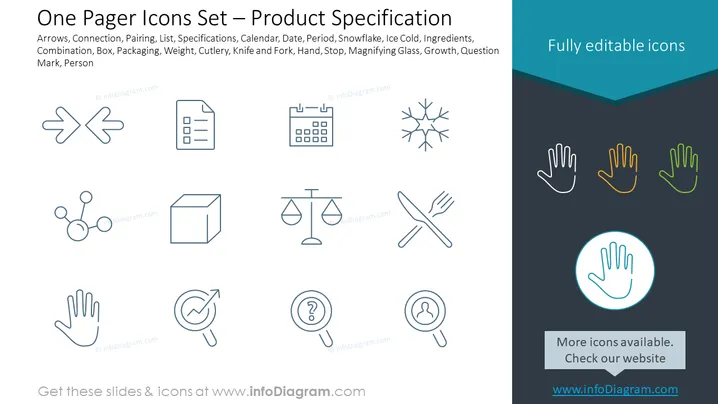
The slide is titled "One Pager Icons Set — Product Specification" and showcases a collection of icons that are commonly used in product specification documents. Each icon is described by keywords: Arrows represent direction or process flow; Connection is about networking or integration; Pairing implies combining two components; List suggests itemization; Specifications indicate detailed descriptions; Calendar for scheduling; Date and Period pertain to timeframes; Snowflake represents something unique or cold conditions; Ingredients for components or materials; Combination is about mixing or merging; Box refers to packaging; Packaging could also imply wrapping or containment; Weight for mass or heaviness; Cutlery, Knife and Fork symbolize dining or food-related actions; Hand for human interaction or assistance; Stop is a command or warning sign; Magnifying Glass implies scrutiny or looking closer; Growth represents development or expansion; Question Mark for inquiry or uncertainty; Person signifies a human element or customer focus.
Graphical Look
- The slide has a clean, professional navy background divided by a lighter blue banner on the top with white text.
- There are thirteen outlined icons arranged in three rows and aligned in a grid layout towards the upper half of the slide.
- The icons are simple and monochromatic with a minimalist design, using a light shade of blue similar to the background for a subtle contrast.
- Below the main grid, there are five more icons of hands in different styles shown in the center-bottom, with colors that differ from the other icons: one hand is outlined in light blue, while the others have additional colors (tan, green, and orange).
- The bottom-most part contains a centered icon of a hand encircled in light blue with a circular highlight effect, making it stand out.
- Adjacent to the colorful hands icons is a text box with a darker background and light text inviting viewers to check for more icons on a website.
The overall look of the slide is modern and cohesive with a focus on visual hierarchy, emphasizing the icons for product specification. The choice of color and layout presents the information in a clear and accessible manner.
Use Cases
- This slide can be used in a business presentation to highlight the features and components of a new product, with each icon representing a different aspect.
- In a technical briefing, the icons could serve to breakdown the project deliverables or detailed requirements for a product design.
- During a marketing meeting, the icons might illustrate the unique selling points or benefits of a product, aiding in the development of marketing materials.
- The slide could be incorporated into an educational or training session to provide a visual reference of key product specification terms or concepts.
How to Edit
How to edit text & colors

How to expand / shorten diagram

How to Replace Icons in infoDiagram PPT


