Reviews
Ihre Grafiken verleihen meinen Präsentationen eine nette Note, und ich habe sie kürzlich für eines meiner All-Hands-Meetings verwendet. Ihre Toolbox verleiht meinen Folien Professionalität, anstatt Standard-Clipart zu verwenden.
Ich brauchte einen neuen Blick auf einige meiner Folien. Ich habe versucht, einen Weg zu finden, einen Pinselschlag-Effekt zu erzielen, um zu unterstreichen, hervorzuheben, Farbe hinzuzufügen, und die handgeschriebenen Markierungen waren genau das Richtige. Sehr einfach zu bedienen, leicht in der Größe zu ändern, die Farbe zu ändern. Es war eine erschwingliche, perfekte Lösung und ich empfehle sie gerne weiter.
Die klare, saubere Optik der Grafiken und die Tatsache, dass ich die Farben leicht bearbeiten und an die Vorlage anpassen konnte, war mein Hauptgrund für den Kauf.
Description
Outline Icons — Retail and Customers
Slide Content
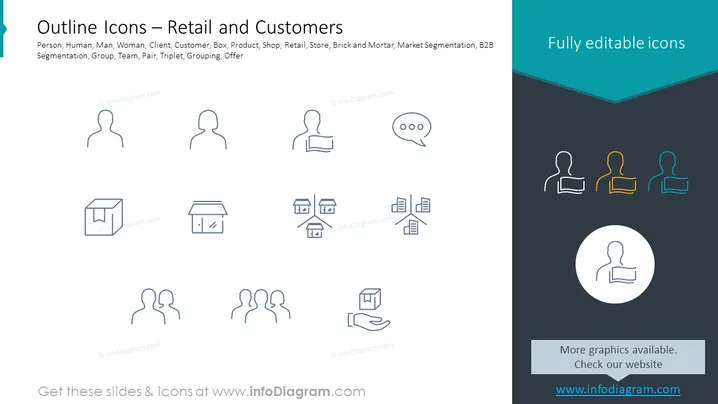
The PowerPoint slide displays a collection of icons related to the retail sector and customer interaction. The icons represent different concepts like a person, human figures (man and woman), client, customer, a box (possibly for product or delivery), shop/store environment, and market segmentation. Each icon symbolizes a key element within the retail domain: the "person" icons could be used to represent individual clients, the "shop/store" icons may imply a physical retail establishment, and the "grouping" icons could indicate customer segmentation or team structures.
Graphical Look
- The slide has a clean, minimalist design with icons equally spaced horizontally and vertically.
- Icons are presented in an outlined style, emphasizing simplicity and modern visuals.
- There are two rows of icons; the top row includes three human figures, one with a speech bubble and another with a document.
- The bottom row consists of various representations of shops—a standard shop, a shop with a coding symbol, one with multiple stores connected, a set of documents, and a hand receiving a box.
- To the right, there is a column with colorful silhouettes of human figures, likely indicating different roles or personas.
- A callout circle with a single icon highlights one element, potentially singling it out for emphasis.
- The color palette used is limited to grey for the icons and a teal banner with the text "Fully editable icons."
The slide's layout is balanced and symmetrical, creating a professional appearance. The icons are styled to be immediately recognizable, lending themselves well to metaphorical interpretation.
Use Cases
- To visually enhance sections of a presentation dealing with customer demographics, service types, and retail strategies.
- As a visual aid in discussions about market segmentation, illustrating different customer groups or buyer personas.
- In training or educational materials to quickly convey various aspects of customer service, retail operations, and sales processes.
- During brainstorming sessions for marketing or product development, to visually represent and brainstorm on segmenting customers or identifying target markets.
How to Edit
How to edit text & colors

How to expand / shorten diagram

How to Replace Icons in infoDiagram PPT


