Reviews
Your slides are my "secret sauce" when it comes to presenting my ideas to clients. I save a lot of time.
J'avais un délai de livraison à respecter et je n'avais pas le temps de créer une variété de modèles de diapositives. Infodiagram m'a proposé des options faciles à télécharger et à personnaliser en fonction de mes besoins !
Vos diapositives suscitent souvent de précieux commentaires et idées de la part de mon équipe, ce qui améliore les diapositives finales.
Description
Creative Scribble Comparison Table of Pros and Cons
Slide Content:
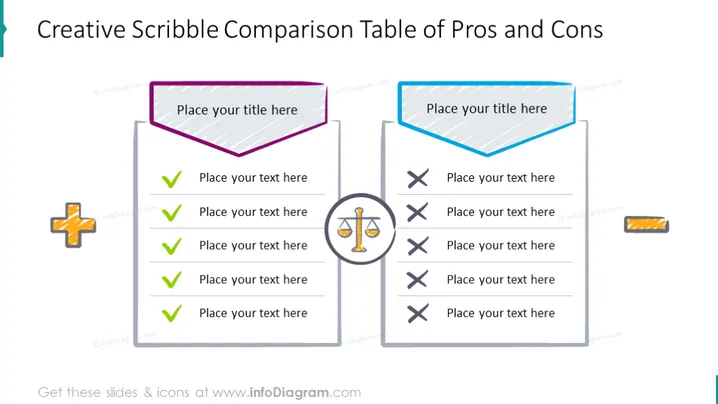
The slide is structured to facilitate a side-by-side comparison of pros and cons. Each side of the comparison has a header where a title can be placed, followed by a list of points with check marks for pros and crosses for cons, suggesting a visual tally of positive and negative attributes or outcomes related to a specific topic, decision, or argument.
Graphical Look:
- The slide is divided into two sections with hand-drawn style borders, one purple for pros and one blue for cons.
- Each section features a scribble-style speech bubble for the title.
- The pros section includes green check mark icons, while the cons section has red cross icons.
- Additional decorative icons are present: a bright, stylized star or sparkle on the pros side and a candy stripe bar on the cons side.
The overall look of the slide is playful and informal, with a doodle-like aesthetic that brings a creative and light-hearted feel to the comparison of pros and cons.
Use Cases:
- Brainstorming sessions where ideas are being evaluated for viability.
- Educational settings where students compare different sides of a debate or issue.
- Business meetings where new proposals or strategies are assessed.
- Workshops or seminars focused on problem-solving and decision-making techniques.
How to Edit
How to edit text & colors

How to expand / shorten diagram

How to Replace Icons in infoDiagram PPT


