

Your graphics add a nice touch to my presentations and I recently used them for one of my all-hands meetings. Your toolbox adds professionalism to my slides. Instead of using standard clipart.
Claude Jones, Director of Engineer, @Walmartlabs, USA

Your graphics add a nice touch to my presentations and I recently used them for one of my all-hands meetings. Your toolbox adds professionalism to my slides. Instead of using standard clipart.
Claude Jones, Director of Engineer, @Walmartlabs, USA
I needed a fresh look at some of my slides. I've tried to find a way to create a paintbrush effect, to underline, accentuate, add some color and the handwritten markers were just the things. Very easy to use, easy to size, change the color. It was an affordable, perfect solution and I'm happy to recommend it.
Anonymous, US
The crisp, clean look of the graphics, and the fact that it allowed me to easily edit and change the colors to match the template was my main reason for purchasing them.
Brandie Jenkins, E-learning Developer, USA
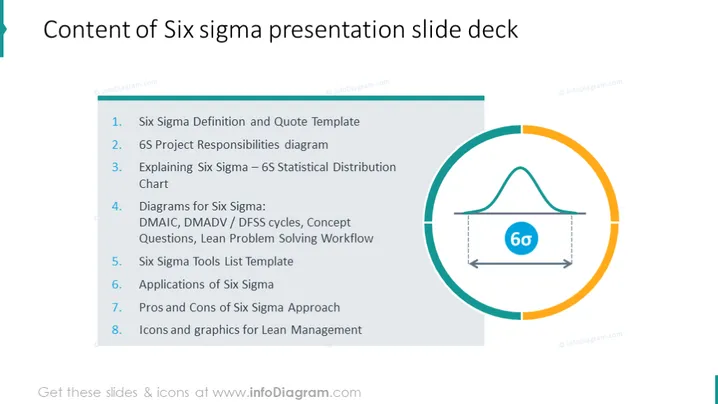
The slide lists the contents of a Six Sigma presentation slide deck, featuring eight points: 1. Six Sigma Definition and Quote Template; 2. 6S Project Responsibilities diagram; 3. Explaining Six Sigma – 6S Statistical Distribution Chart; 4. Diagrams for Six Sigma: DMAIC, DMADV / DFSS cycles, Concept Questions, Lean Problem Solving Workflow; 5. Six Sigma Tools List Template; 6. Applications of Six Sigma; 7. Pros and Cons of Six Sigma Approach; 8. Icons and graphics for Lean Management. Each point summarizes a specific aspect of Six Sigma methodology and its practical applications, providing a comprehensive overview from foundational concepts to practical tools and assessments of the approach.
The PowerPoint slide utilizes a clean and professional design with a clear left-to-right layout that guides the viewer through the content. The use of color is subtle yet effective in highlighting important areas.



