Reviews
Your graphics add a nice touch to my presentations and I recently used them for one of my all-hands meetings. Your toolbox adds professionalism to my slides. Instead of using standard clipart.
I needed a fresh look at some of my slides. I've tried to find a way to create a paintbrush effect, to underline, accentuate, add some color and the handwritten markers were just the things. Very easy to use, easy to size, change the color. It was an affordable, perfect solution and I'm happy to recommend it.
The crisp, clean look of the graphics, and the fact that it allowed me to easily edit and change the colors to match the template was my main reason for purchasing them.
Description
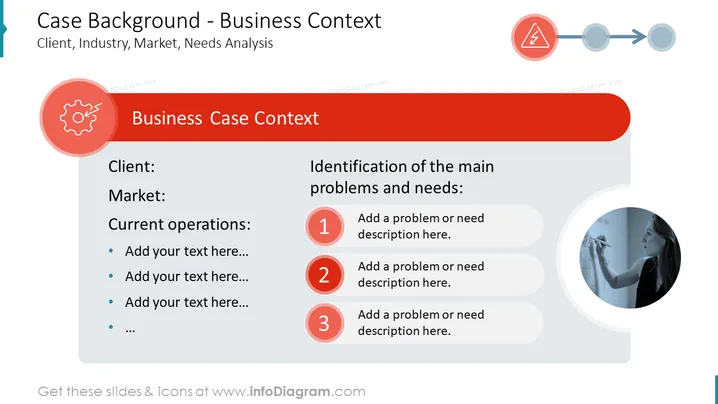
This slide shows a case background from a business case study template. Using PowerPoint templates such as this helps if you need to present your information clearly and professionally, capturing the audience's attention. You could use this presentation template to provide a summary of a case background in a case study, to give an analysis of why you chose a particular case, or adapt the chart for other presentations such as annual reports, review meetings, project presentations, etc. The whole slide is in red color style with icons illustrating challenges by broken gear or a danger flash sign. All the design elements in the PPT deck are fully editable, with symbols coming in a vector graphic format. You can change colors to match your brand's theme, add your own text & data, download from PowerPoint into a PDF format, or resize shapes without loss of image quality, for example. Templates are also compatible with Keynote and Google Slides.
##Business Case Background Slide contents: Case Study Background PPT, Vector Graphic Illustrations, Case Background Table, Textboxes, Placeholder Text, Circle Graphics, Line Graphic, Numbered Icons, Broken Gear Symbol, Danger Flash Icon, Resizable Shapes, White Background
How to Edit
How to edit text & colors

How to expand / shorten diagram

How to Replace Icons in infoDiagram PPT


