Reviews
Your graphics add a nice touch to my presentations and I recently used them for one of my all-hands meetings. Your toolbox adds professionalism to my slides. Instead of using standard clipart.
I needed a fresh look at some of my slides. I've tried to find a way to create a paintbrush effect, to underline, accentuate, add some color and the handwritten markers were just the things. Very easy to use, easy to size, change the color. It was an affordable, perfect solution and I'm happy to recommend it.
The crisp, clean look of the graphics, and the fact that it allowed me to easily edit and change the colors to match the template was my main reason for purchasing them.
Description
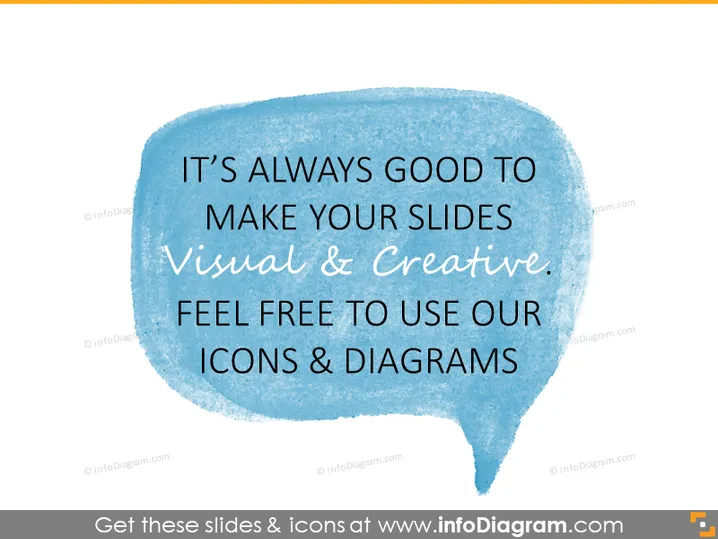
IT’S ALWAYS GOOD TO MAKE YOUR SLIDES VISUAL & CREATIVE.
Slide Content
The PowerPoint slide stresses the importance of creativity and visual elements in presentations. It encourages the audience to use the provided icons and diagrams to enhance the visual appeal. The slide conveys that well-designed visuals can make information more engaging and easier to understand. This emphasis on visual storytelling is key in modern communication, where attention spans are short and the demand for quick comprehension is high.
Graphical Look
- The slide background is white.
- A large speech bubble graphic dominates the slide, which encompasses most of the text.
- The speech bubble has a rough, hand-painted texture in a watercolor style.
- The color of the speech bubble is light blue, which fades to white towards the edges, resembling a watercolor paint wash.
- The text inside the bubble is in contrasting colors: black for the main message and orange for the word "visual & creative."
- The fonts used for the text vary in size and weight to emphasize different parts of the message.
The slide has a clean, minimalist design with a creative twist provided by the watercolor speech bubble. The use of contrasting colors and varied typography creates a focus on the key phrases, maintaining a balance between visual appeal and readability.
Use Cases
- To promote design services or visual enhancement tools within a business presentation.
- When introducing a section on communication strategies that leverage visual elements.
- To inspire a team to incorporate more visual content in their client proposals or internal reports.
- As a cover slide for a catalog of graphical resources available to the presentation team.
How to Edit
How to edit text & colors

How to expand / shorten diagram

How to Replace Icons in infoDiagram PPT


