Reviews
Your graphics add a nice touch to my presentations and I recently used them for one of my all-hands meetings. Your toolbox adds professionalism to my slides. Instead of using standard clipart.
I needed a fresh look at some of my slides. I've tried to find a way to create a paintbrush effect, to underline, accentuate, add some color and the handwritten markers were just the things. Very easy to use, easy to size, change the color. It was an affordable, perfect solution and I'm happy to recommend it.
The crisp, clean look of the graphics, and the fact that it allowed me to easily edit and change the colors to match the template was my main reason for purchasing them.
Description
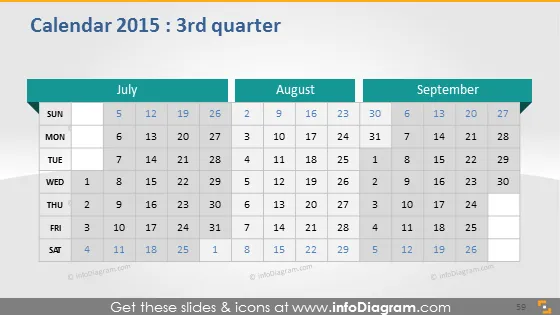
Calendar 2015 : 3rd quarter
Slide Content
The slide presents a calendar for the third quarter of the year 2015, which includes the months of July, August, and September. Each month is laid out in a grid format, starting with Sunday and ending with Saturday, and follows a conventional calendar structure. Dates are clearly marked, and the weekends are shaded differently to distinguish them from weekdays.
Graphical Look
- The slide features a dark background with a calendar displayed in a lighter shade, creating a contrast that makes the calendar stand out.
- There are three separate calendar blocks for July, August, and September, aligned horizontally.
- Each month's title is highlighted with a teal header bar above the calendar grid.
- The days of the week are listed at the top of each month's calendar in bold text.
- Dates are listed in a grid format, with weekdays in black font and weekends in a grey shade for differentiation.
- The background behind the weekend dates is slightly darker, further distinguishing them from the weekday dates.
The slide has a modern, business-like appearance with a clear and easily readable layout. The use of teal and shades of grey provides good visual separation and readability.
Use Cases
- To present project timelines or schedules in a business meeting.
- For planning and outlining marketing campaigns relative to specific dates.
- To discuss deadlines and important events in a quarterly corporate update.
- In an educational setting, to highlight academic dates, holidays, or exams scheduled for the third quarter.
How to Edit
How to edit text & colors

How to expand / shorten diagram

How to Replace Icons in infoDiagram PPT


